Block Lists
os-blocklists · Protection
Address lists, countries, DNS lists and JA4 fingerprints of TLS clients, gathered into one page of block lists.
In the menu
- With os-xgs-npu installed: XGS: Block Lists
- Without os-xgs-npu: Firewall: Block Lists
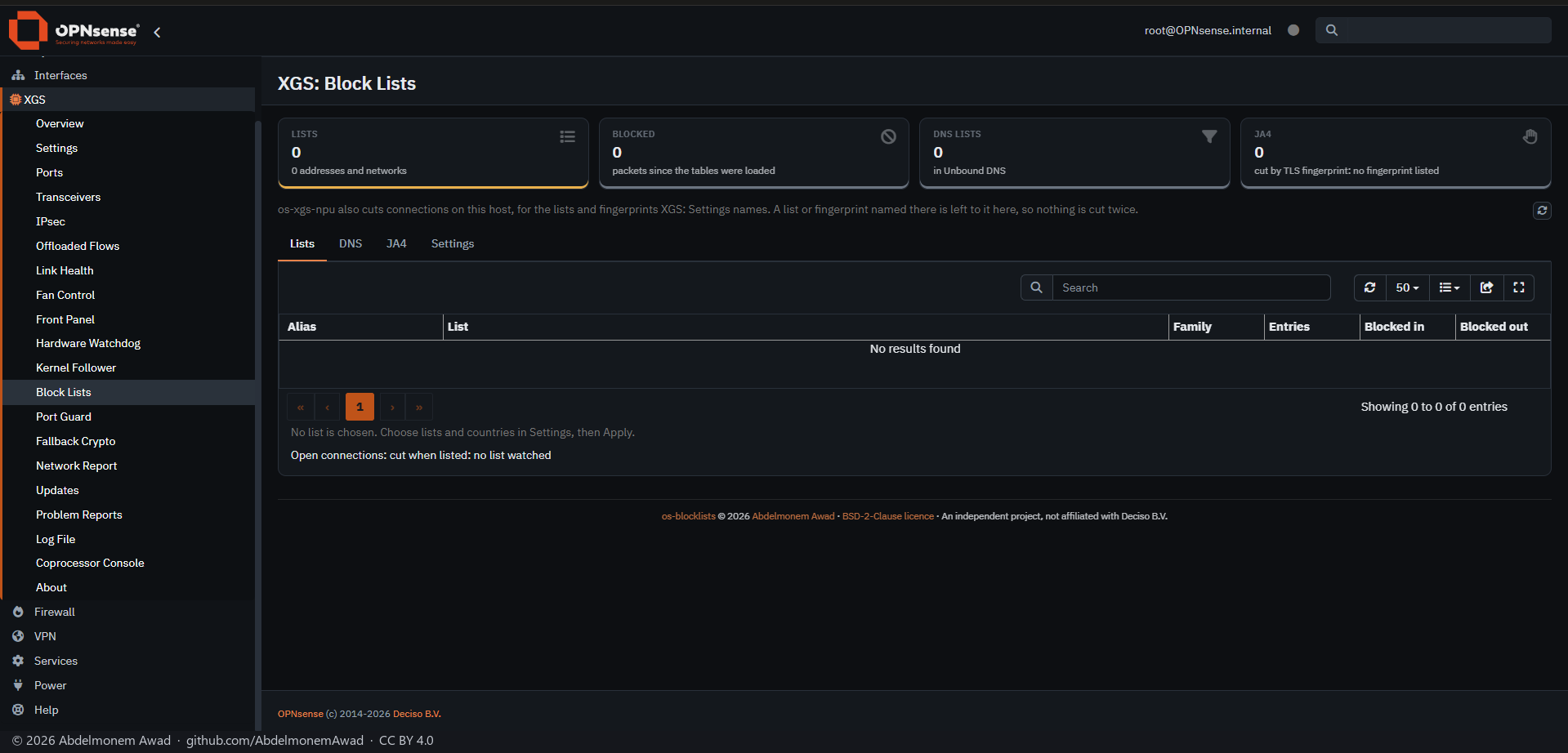
Address lists are chosen from a short catalogue of public feeds: Spamhaus DROP (IPv4 and IPv6), abuse.ch Feodo Tracker, Emerging Threats compromised hosts, CINS Army and blocklist.de. Each becomes a URL Table alias of its own, fetched by OPNsense once a day. Countries go into one GeoIP alias, which needs a GeoIP source in Firewall: Aliases. FireHOL level 1 is left out on purpose: it carries the private networks and, blocked both ways, would cut a firewall off its own LAN.
The block rules are registered by the plugin at every filter reload - inbound from a listed address and, by default, outbound to one, on every interface, before the interface rules. They are never added to the owner's own rules, so turning the plugin off or removing it leaves nothing there. Nothing is blocked until lists are chosen and applied.
A block rule stops new connections only. With "Cut open connections" on, a connection already open to or from an address a list has just gained is cut within a minute, and on a Sophos XGS it is also taken out of the coprocessor with its state: the coprocessor holds no address list of its own to block by. With os-xgs-npu installed, a list or fingerprint named in XGS: Settings is left to os-xgs-npu, so nothing is cut twice.
Features
-
Public address lists
Spamhaus DROP, abuse.ch Feodo Tracker, Emerging Threats, CINS Army and blocklist.de, each its own URL Table alias, with counters on.
-
Countries
One GeoIP alias, blocklists_countries; it needs a GeoIP source in Firewall: Aliases.
-
Rules of its own
Registered at every filter reload, before the interface rules, and never written into the owner's rules, so nothing is left behind when the plugin is off or removed.
-
Open connections cut
Within a minute of a list gaining an address; on a Sophos XGS, also out of the coprocessor with the connection's state.
-
JA4 fingerprints
TLS connections whose client shows a listed fingerprint are cut, read from the Intrusion Detection's TLS log every two seconds; the page lists the fingerprints seen, to find the one to list.
-
DNS lists on the same page
OPNsense keeps them itself, in Services: Unbound DNS: Blocklists; the page shows them beside the others and links there.
Install and update
From os-xgs-npu's release after 0.1.0-alpha.7.1, XGS: Updates lists it on its Plugins tab - an installed copy is updated there by hand, and a missing one installed there - and the ready-made images built from that release carry it; until then it is installed and updated as below. The plugin's cron entry runs the cuts every minute, never the update. To install it on an XGS appliance or on any other OPNsense, as root: from a checkout of the repository with sh install/install.sh, which puts the page under XGS with os-xgs-npu and under Firewall without it, and keeps the settings when run again; or from the release's package, os-blocklists-1.0.0.pkg, checked against SHA256SUMS and added with pkg. A copy installed this way is updated by its own self-update.py. Removing the plugin takes its rules out of pf; its aliases stay in Firewall: Aliases, blocking nothing. It is not in the OPNsense plugin repository.
Limits, and what is not tested yet
- Writing the aliases from the page (apply.php, which saves config.xml).
- The rules with lists in them, and the lists fetched.
- A cut of open connections, and a JA4 cut through this plugin.
- The package, built by tools/make-package.sh and added with pkg.
- An install on OPNsense without os-xgs-npu.
- An update through the Plugins tab or self-update.py: 1.0.0 is the first release, so none has been ahead of an installed copy.
Repository
First release: 2026-10-25
The discussion of this page is held in the project's GitHub Discussions. Showing it here loads giscus from giscus.app and GitHub, and writing in it needs a GitHub account - what that means.