Updating an appliance, step by step
On 2026-10-19 all three appliances on the bench were updated to v0.1.0-alpha.2 from their own XGS: Updates page, in the browser, and photographed along the way. The XGS 136 and the first XGS 3300 were offered the release as usual. The second XGS 3300 at first was not, for a reason this page shows. Each update, from Update to done, took 16 or 17 seconds; the driver is built on the appliance itself.
The page does for this plugin what OPNsense's own System: Firmware does for OPNsense, which does not list the plugin. Nothing on it reboots by itself.
1. What is installed, and what is offered
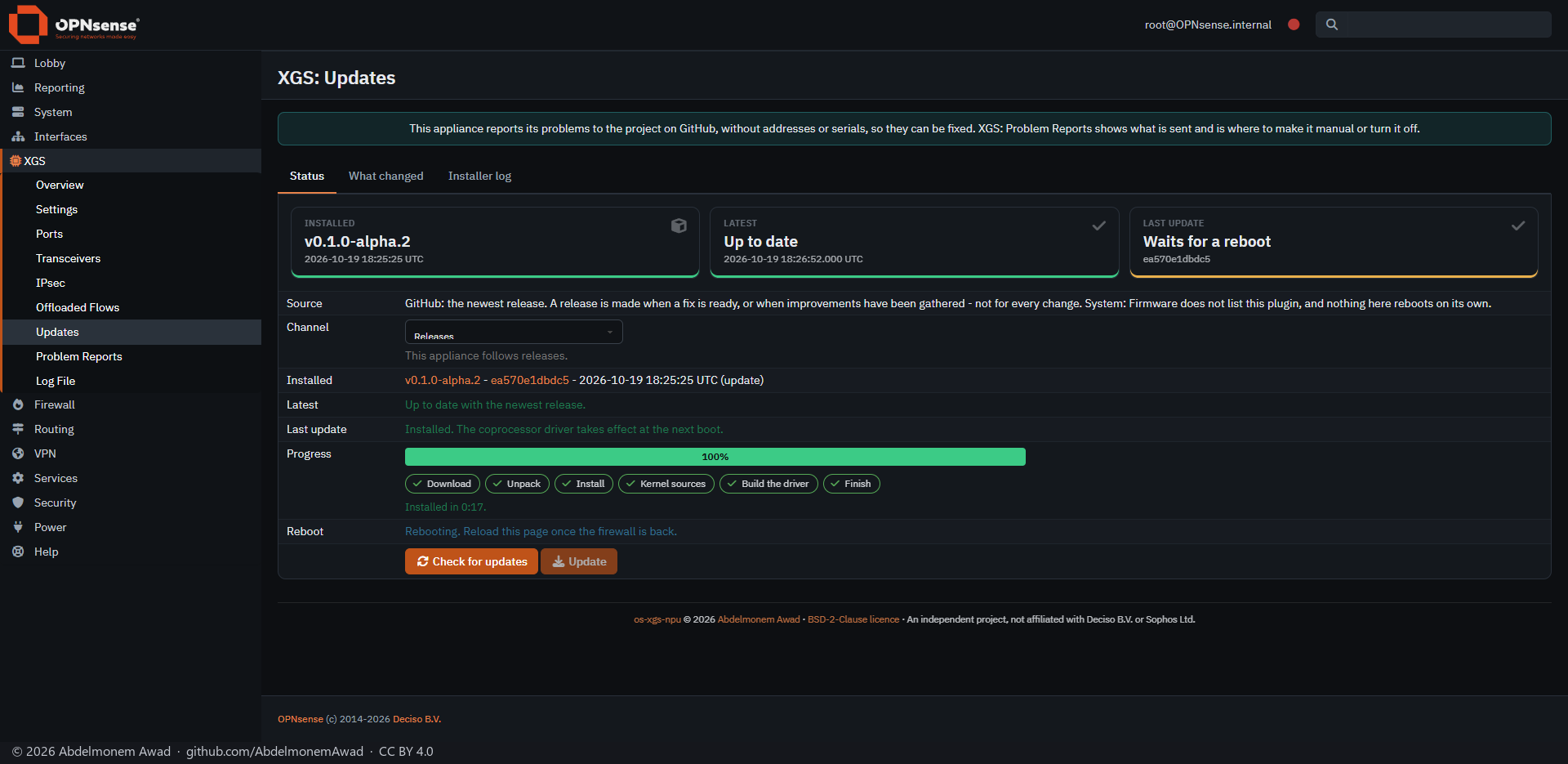
Status shows three cards: what is installed, the newest release, and the last update. Below them are the channel this appliance follows (Releases, or Test for every change merged) and the two buttons.
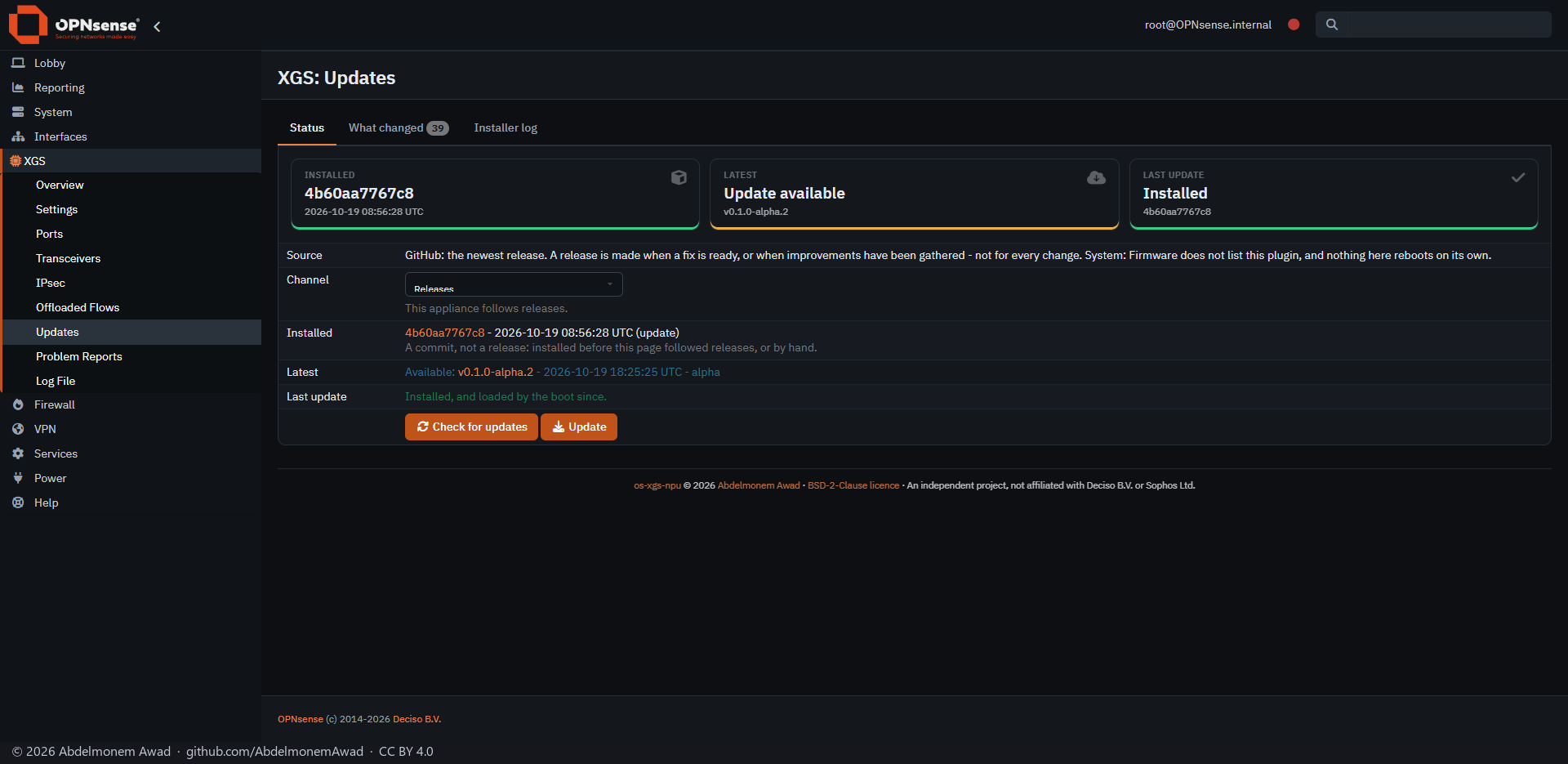
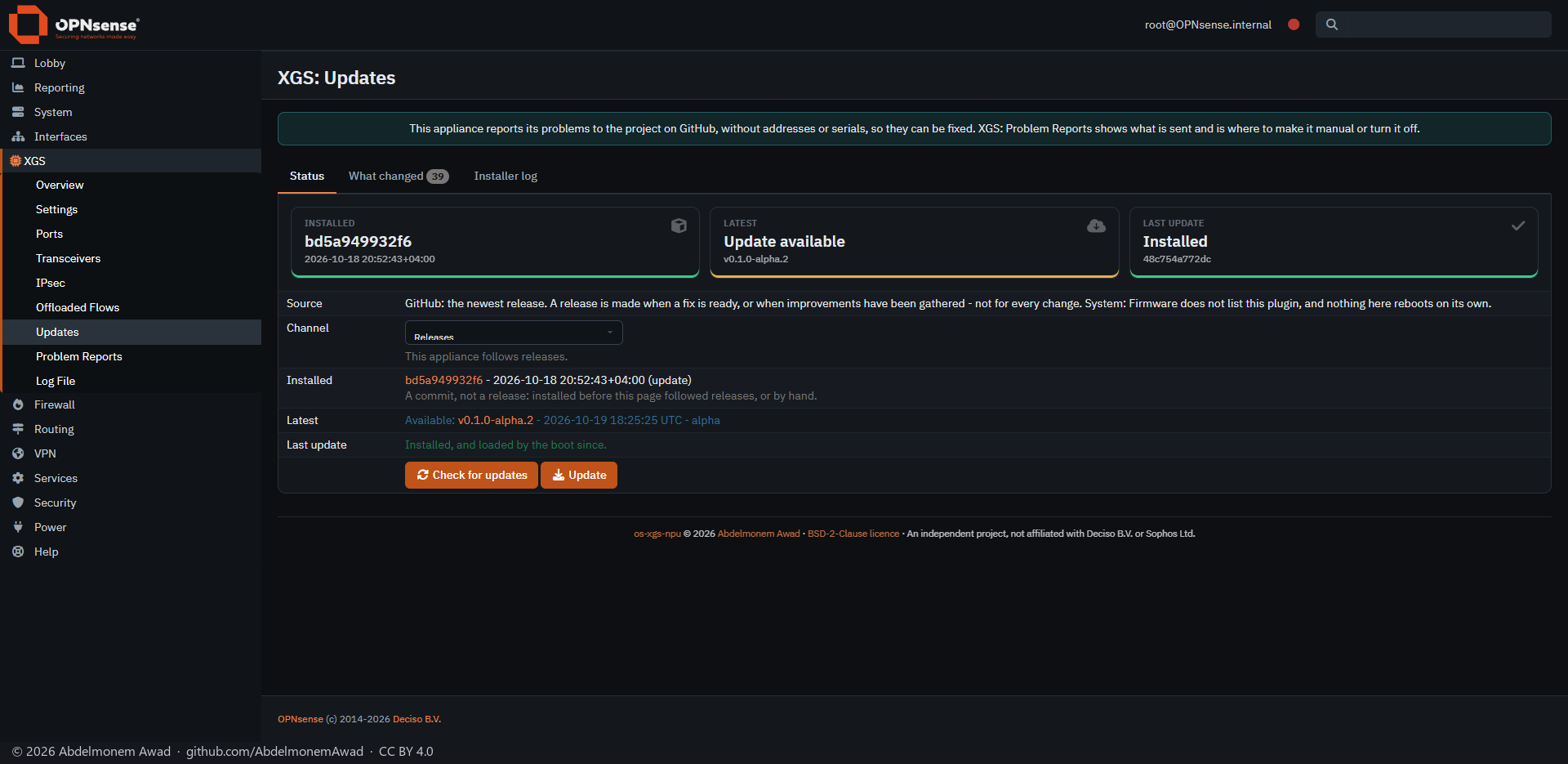
2. What changed
What changed lists every change the offered release brings, each with its pull request.
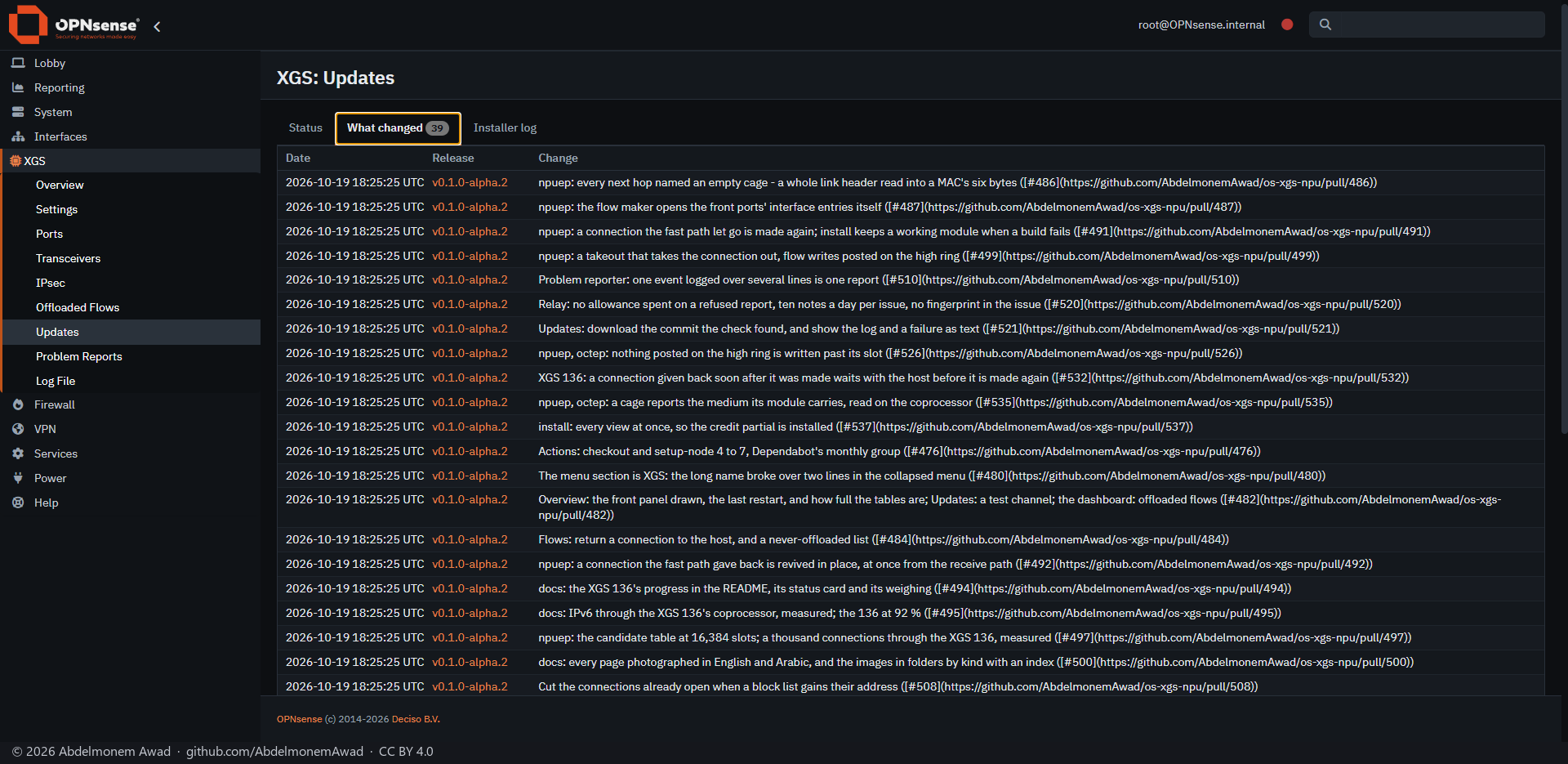
The pull requests were printed as their Markdown, brackets and address included; they are drawn as links now:
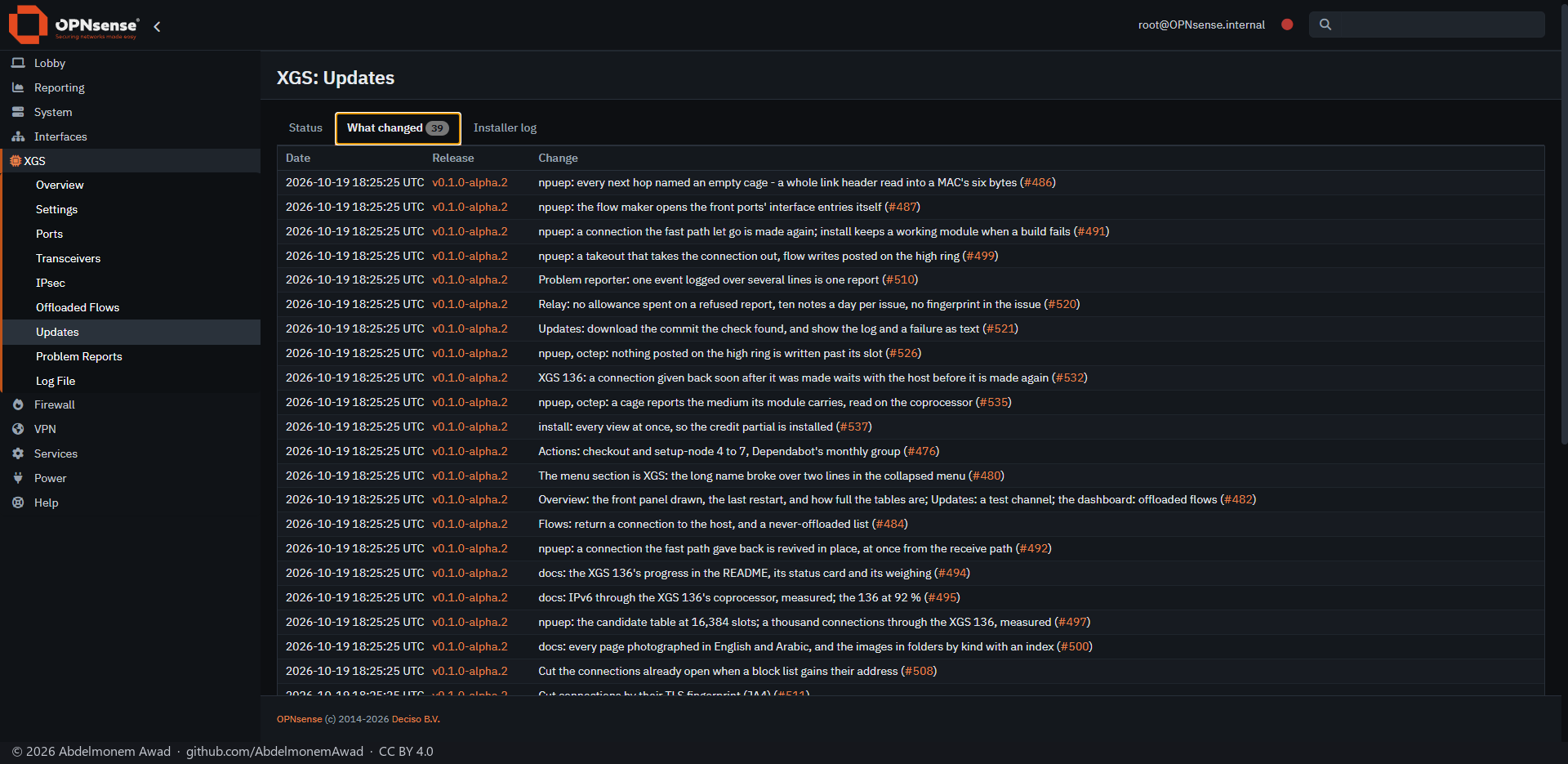
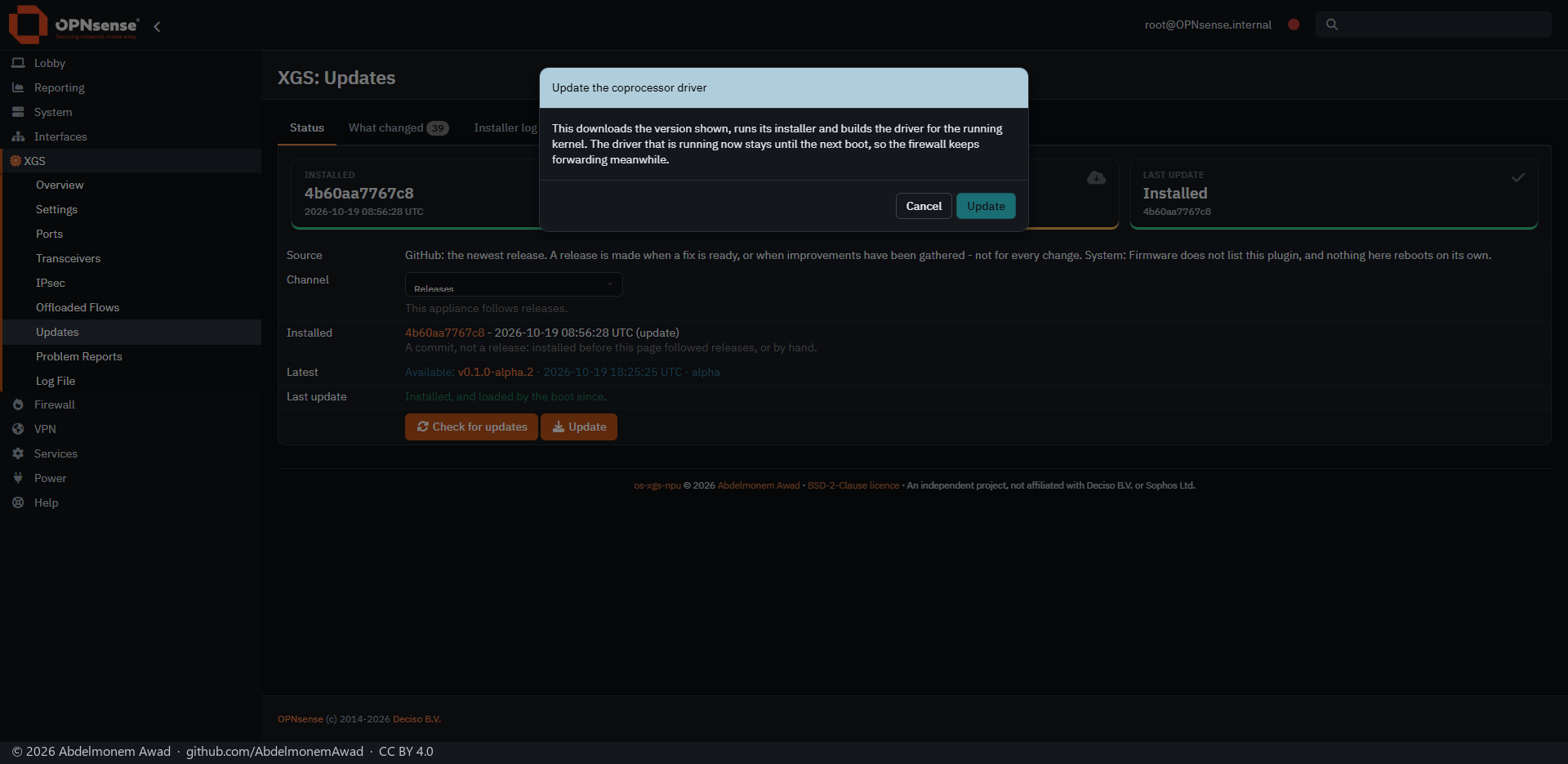
3. Update, and what it says first
Update asks once, and says what is about to happen: the version shown is downloaded, its installer runs, and the driver is built for the running kernel. The driver that is running now stays until the next boot, so the firewall goes on forwarding.
4. The progress bar
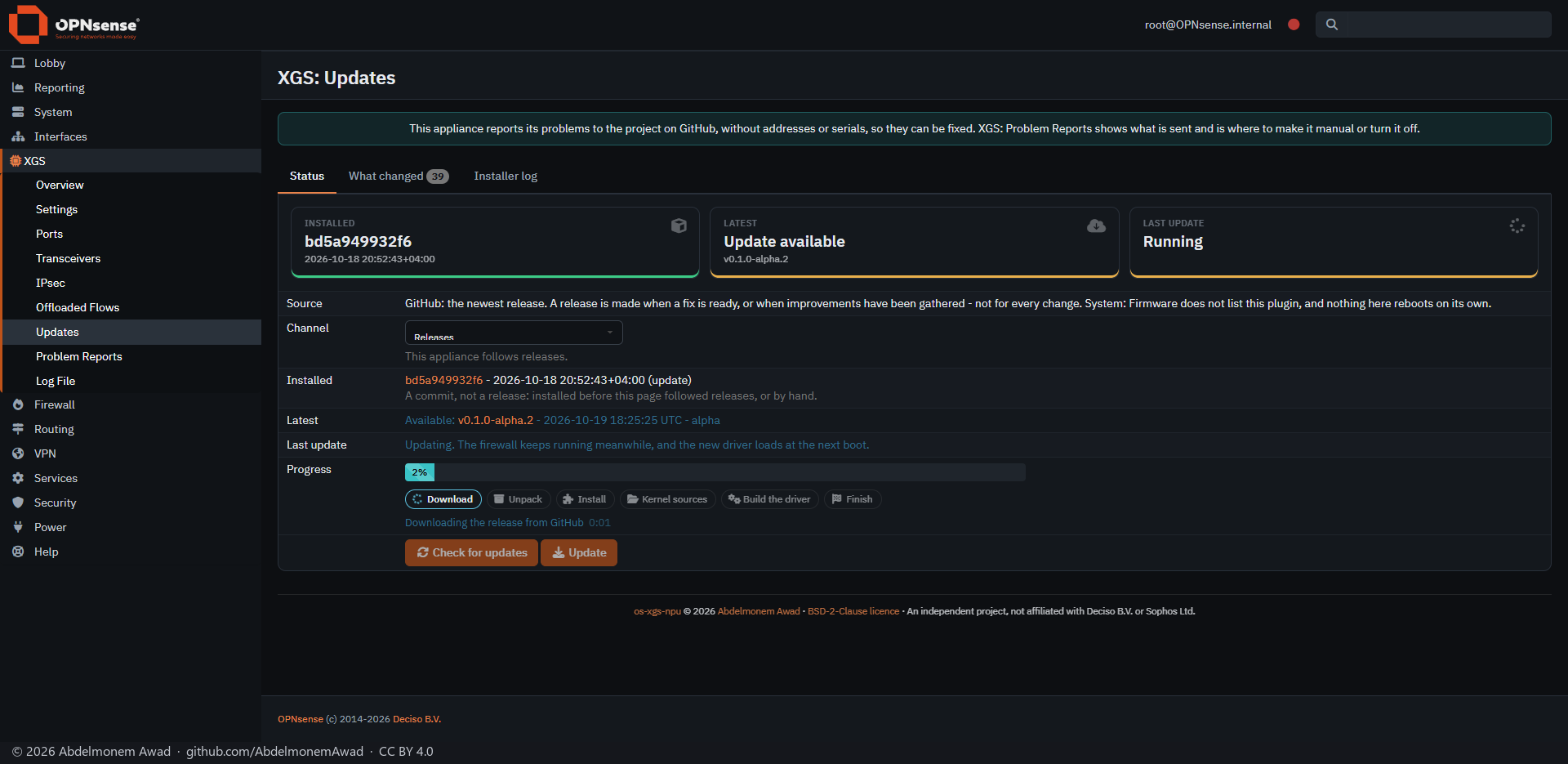
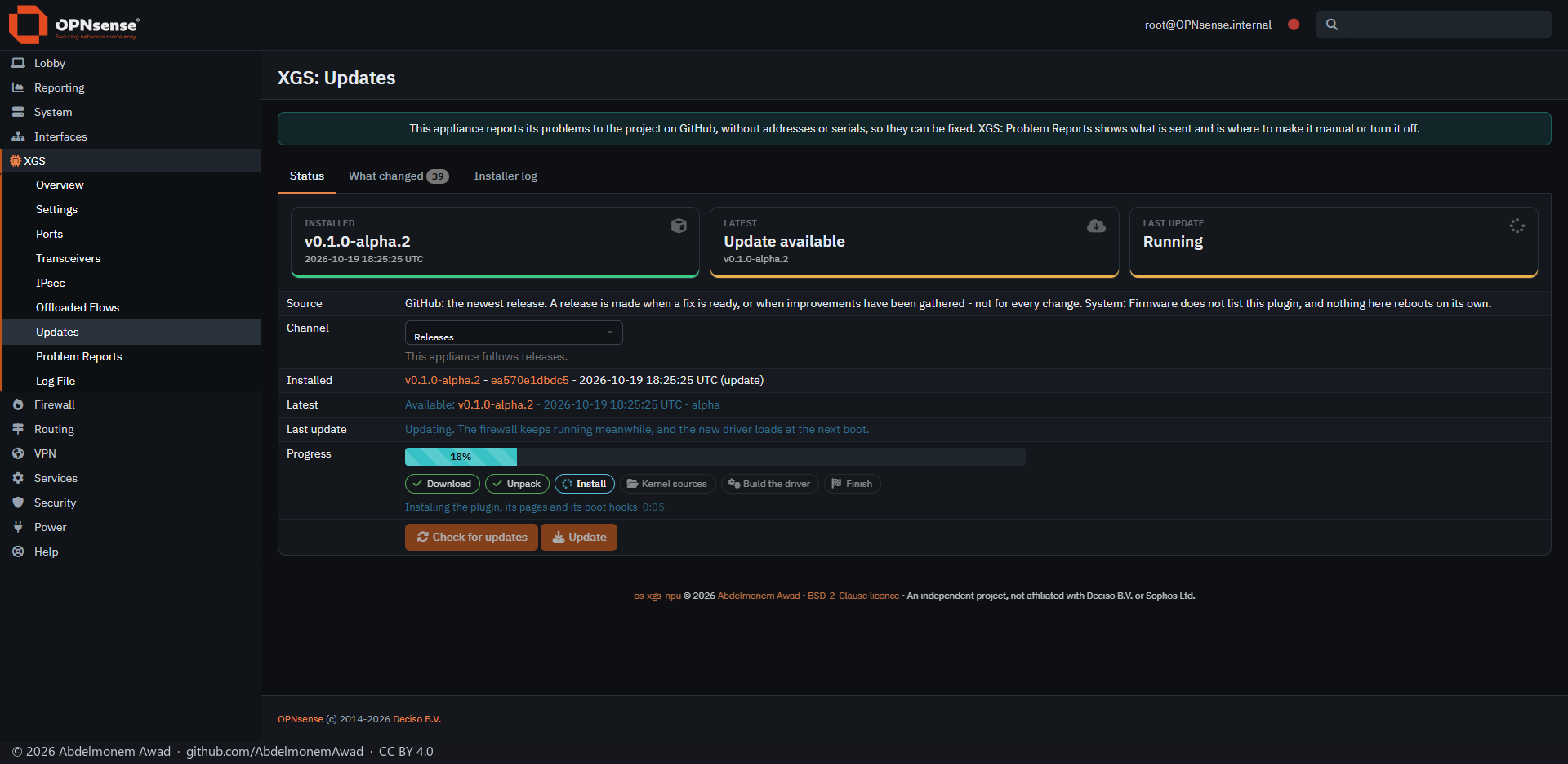
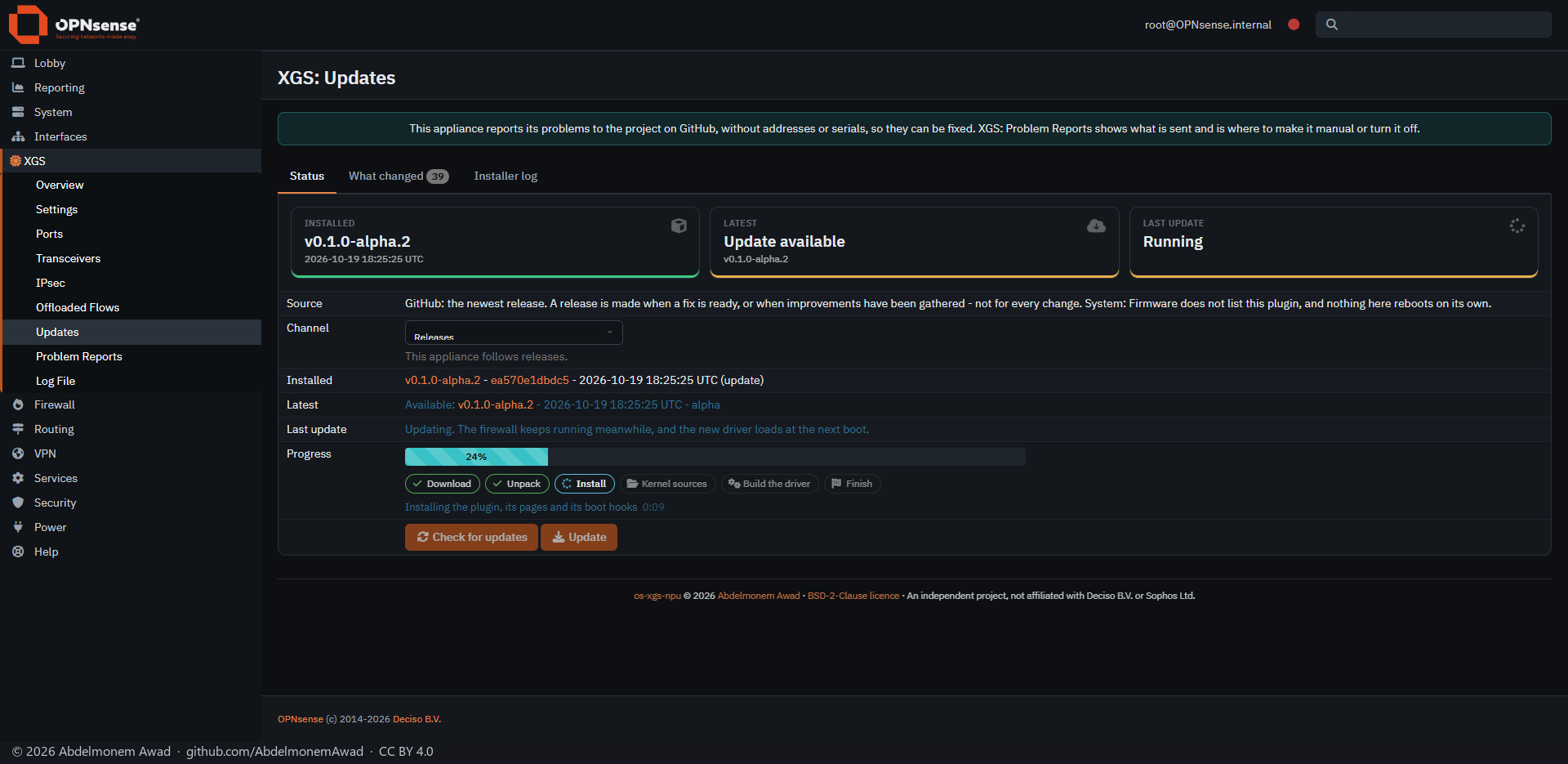
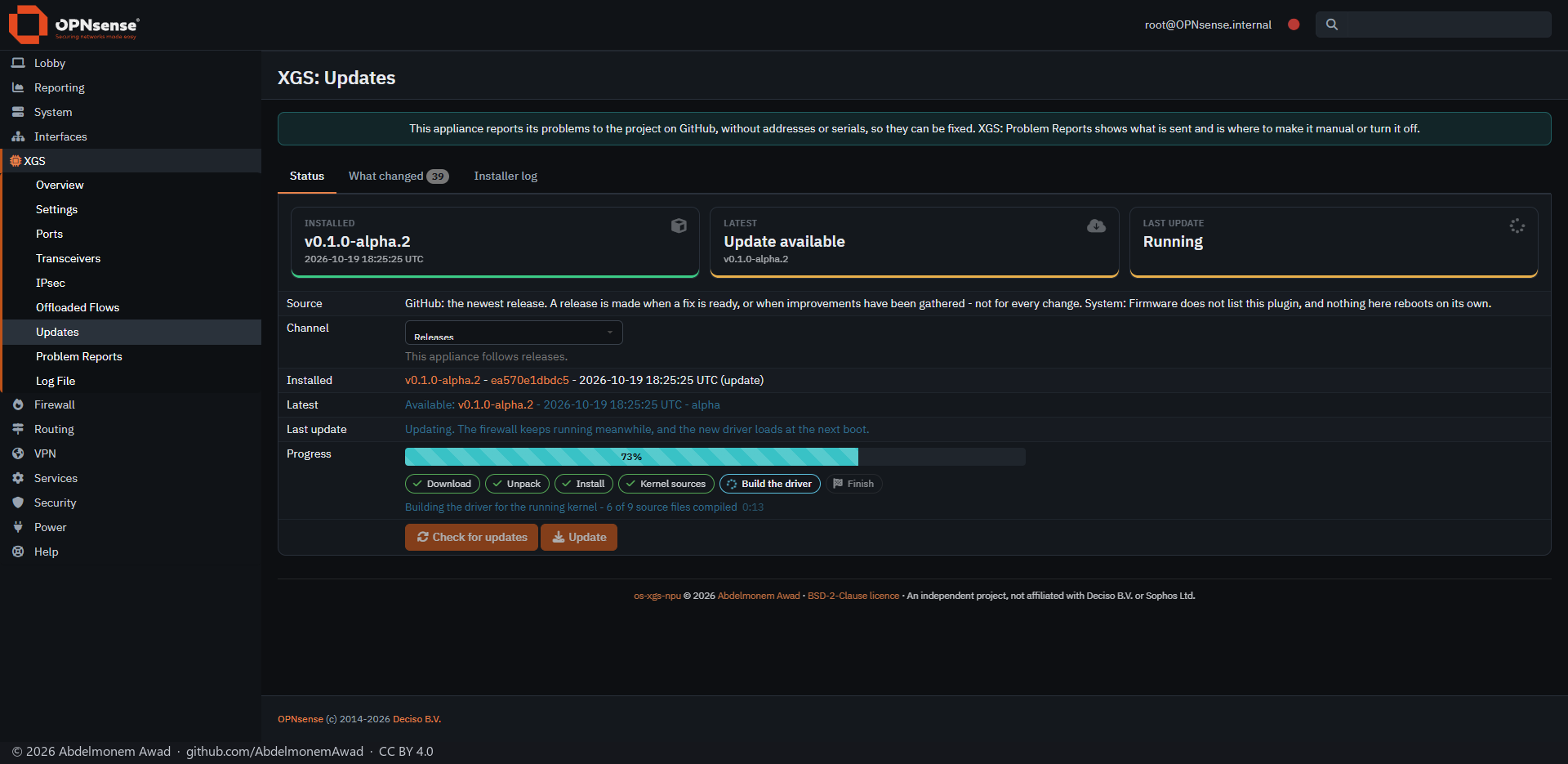
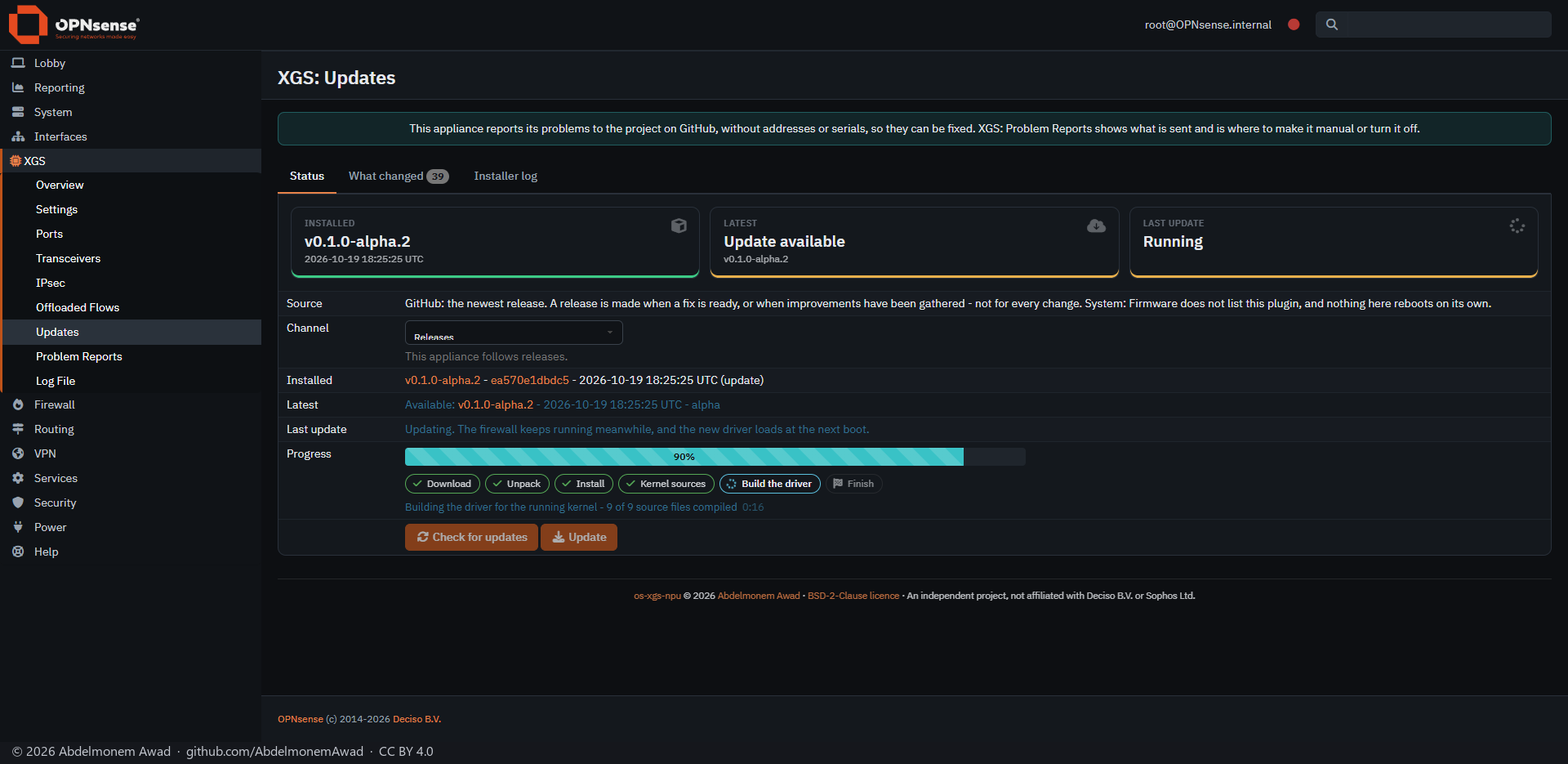
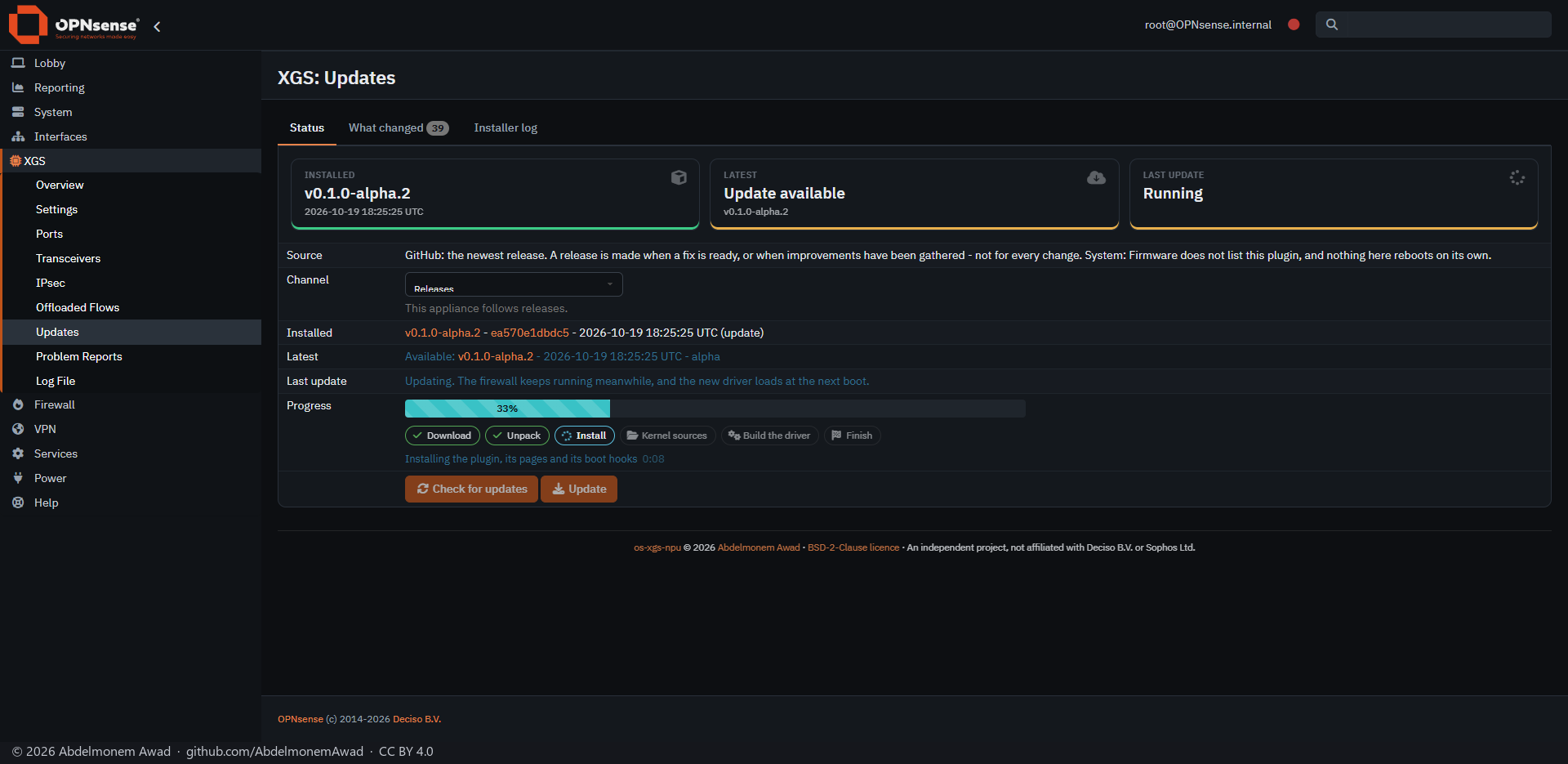
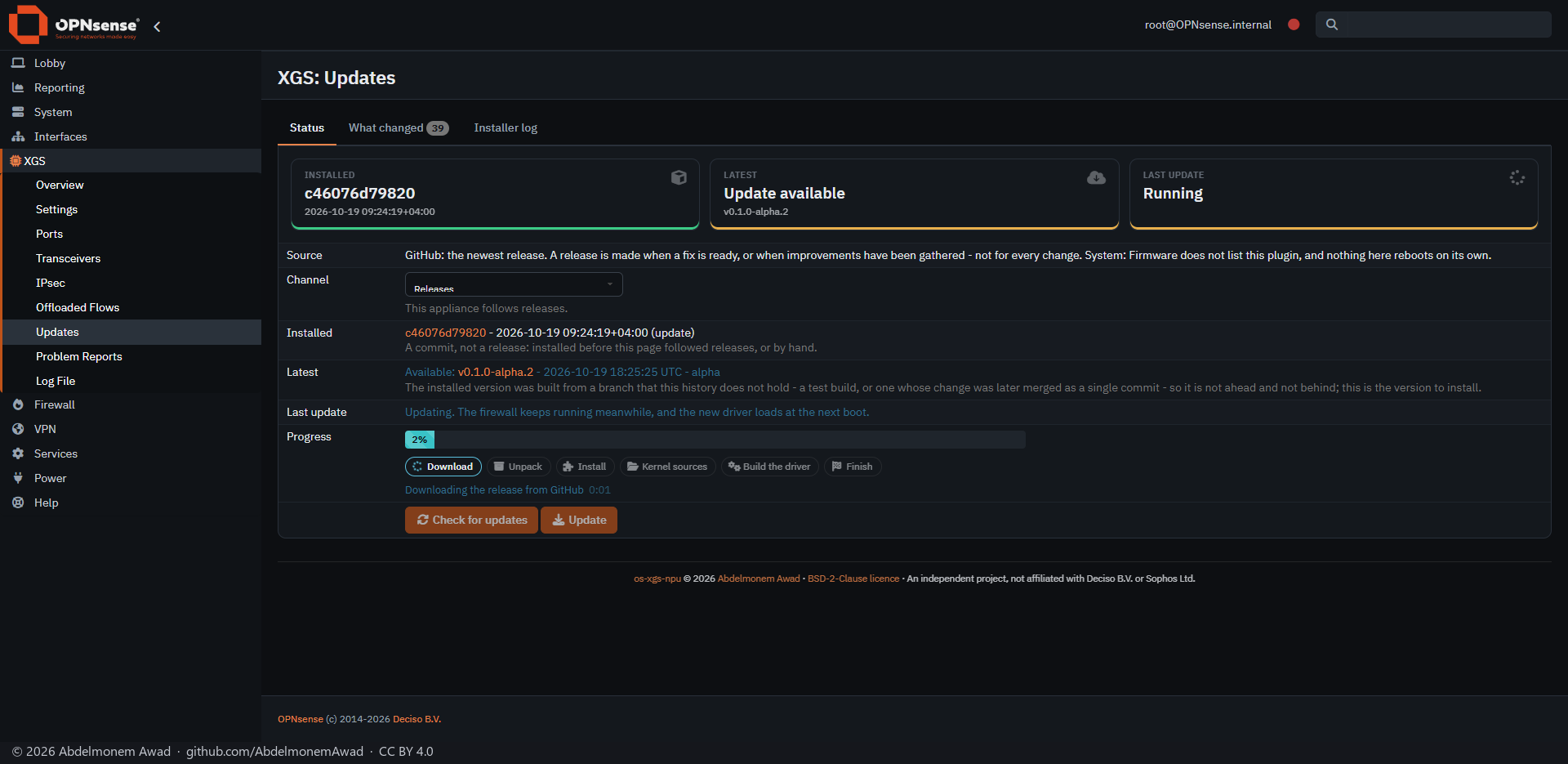
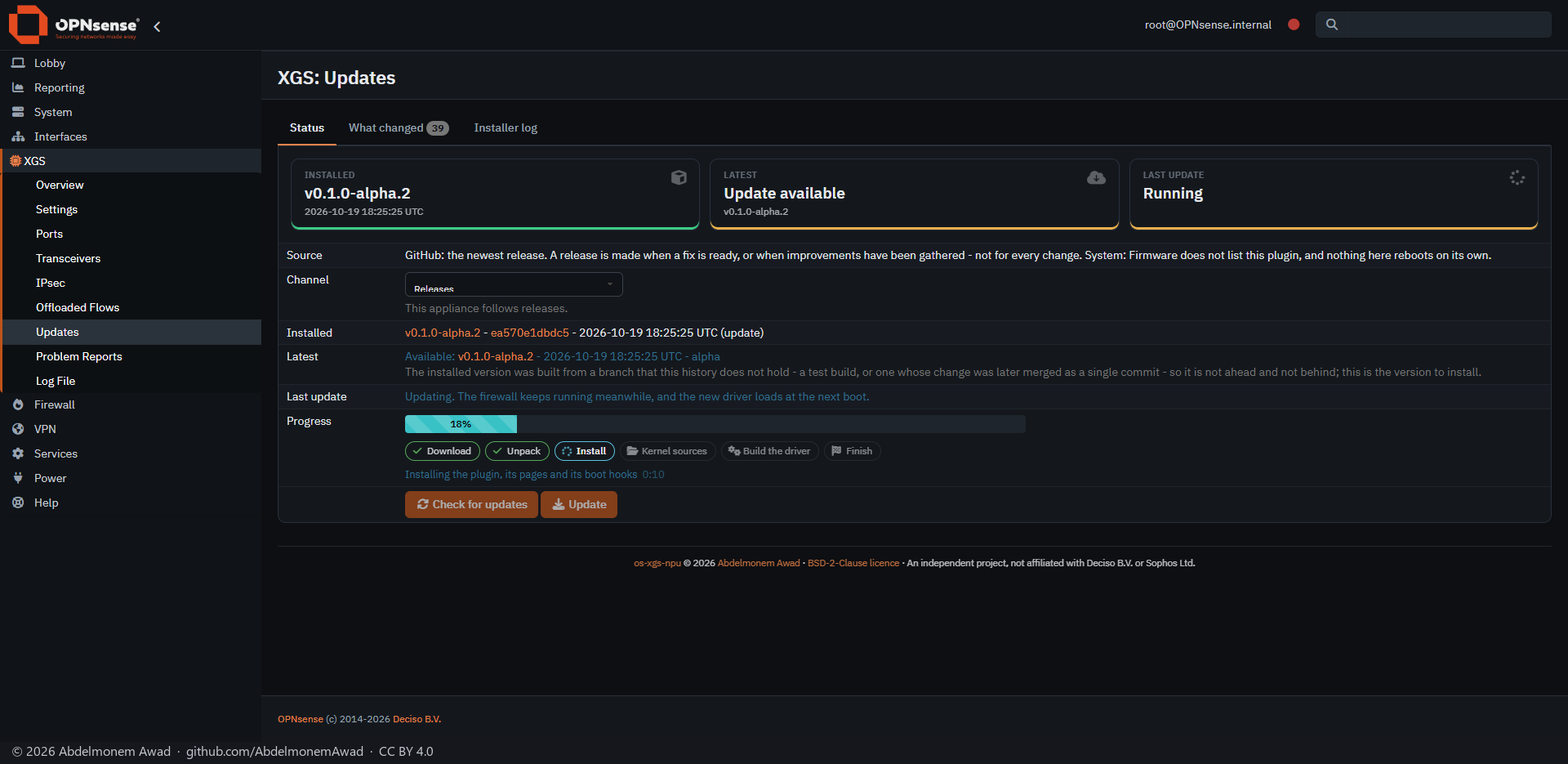
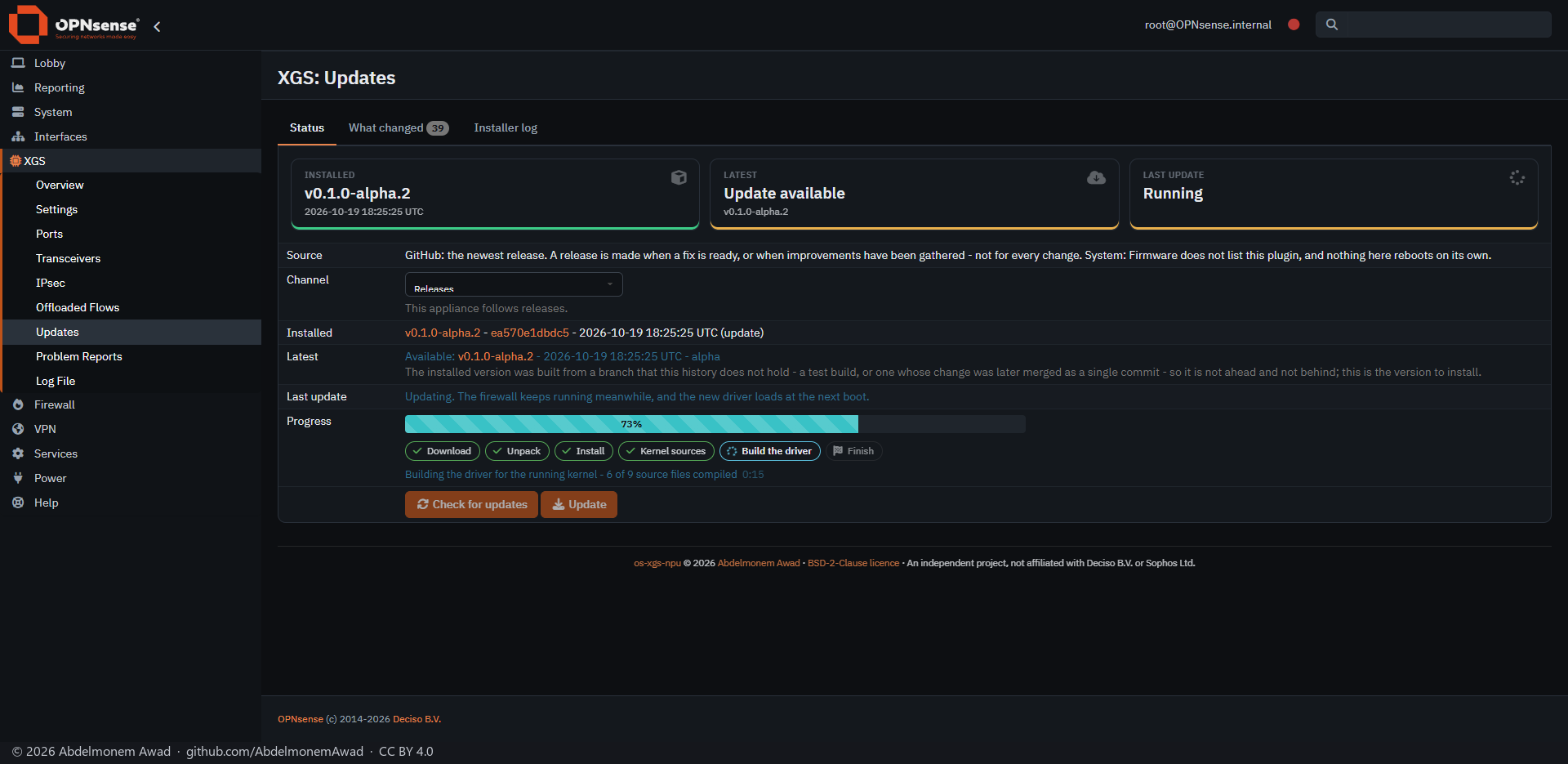
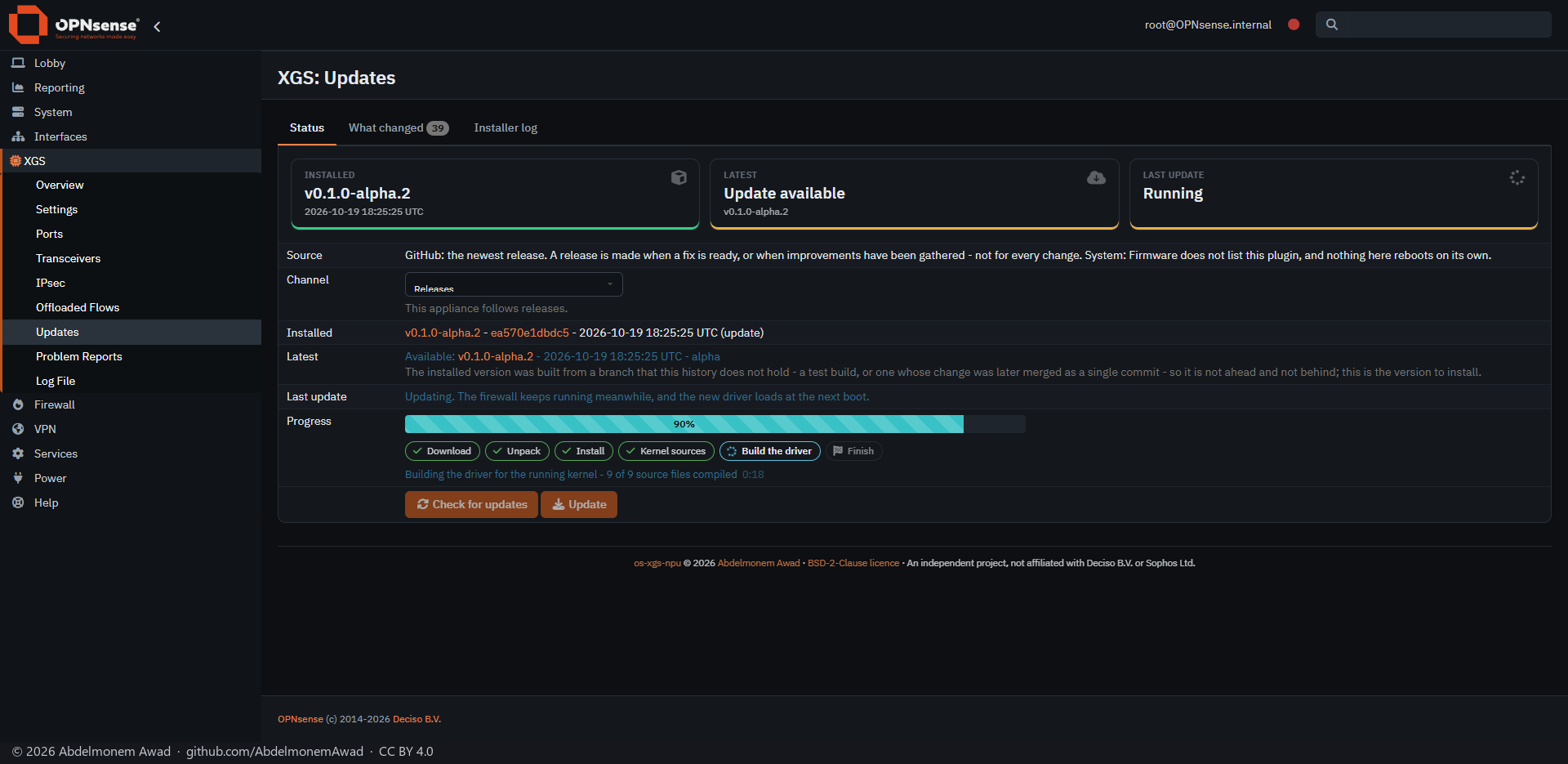
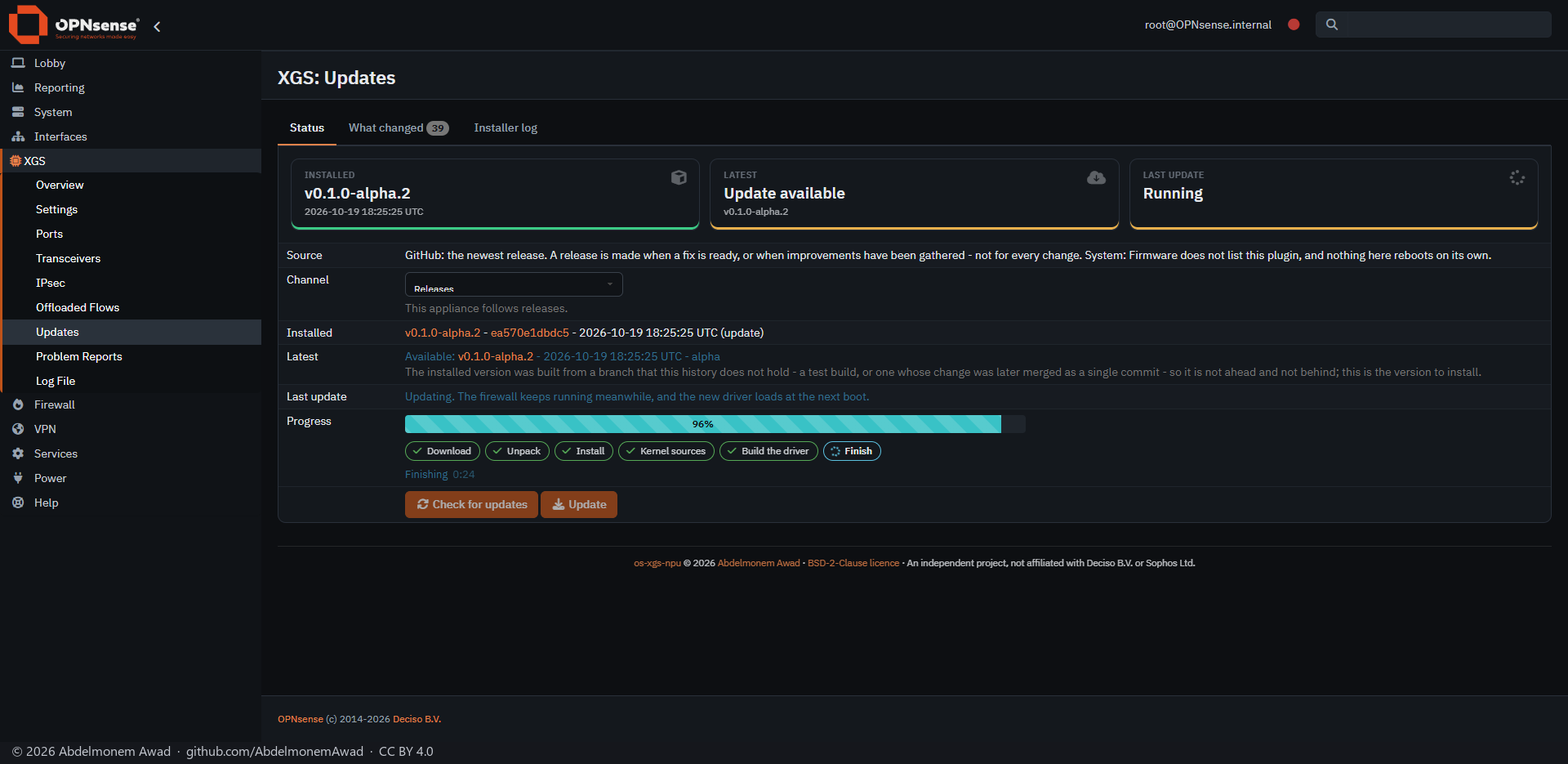
Six steps, each lit as it starts and ticked as it ends:
- Download - the release, by the commit the check found;
- Unpack;
- Install - the plugin, its pages and its boot hooks;
- Kernel sources - the sources of the kernel this appliance runs;
- Build the driver - counted in source files, 9 of 9;
- Finish.
On the first XGS 3300, about once a second:
And on the XGS 136 and the second XGS 3300:
5. Done - and a reboot only when the driver changed
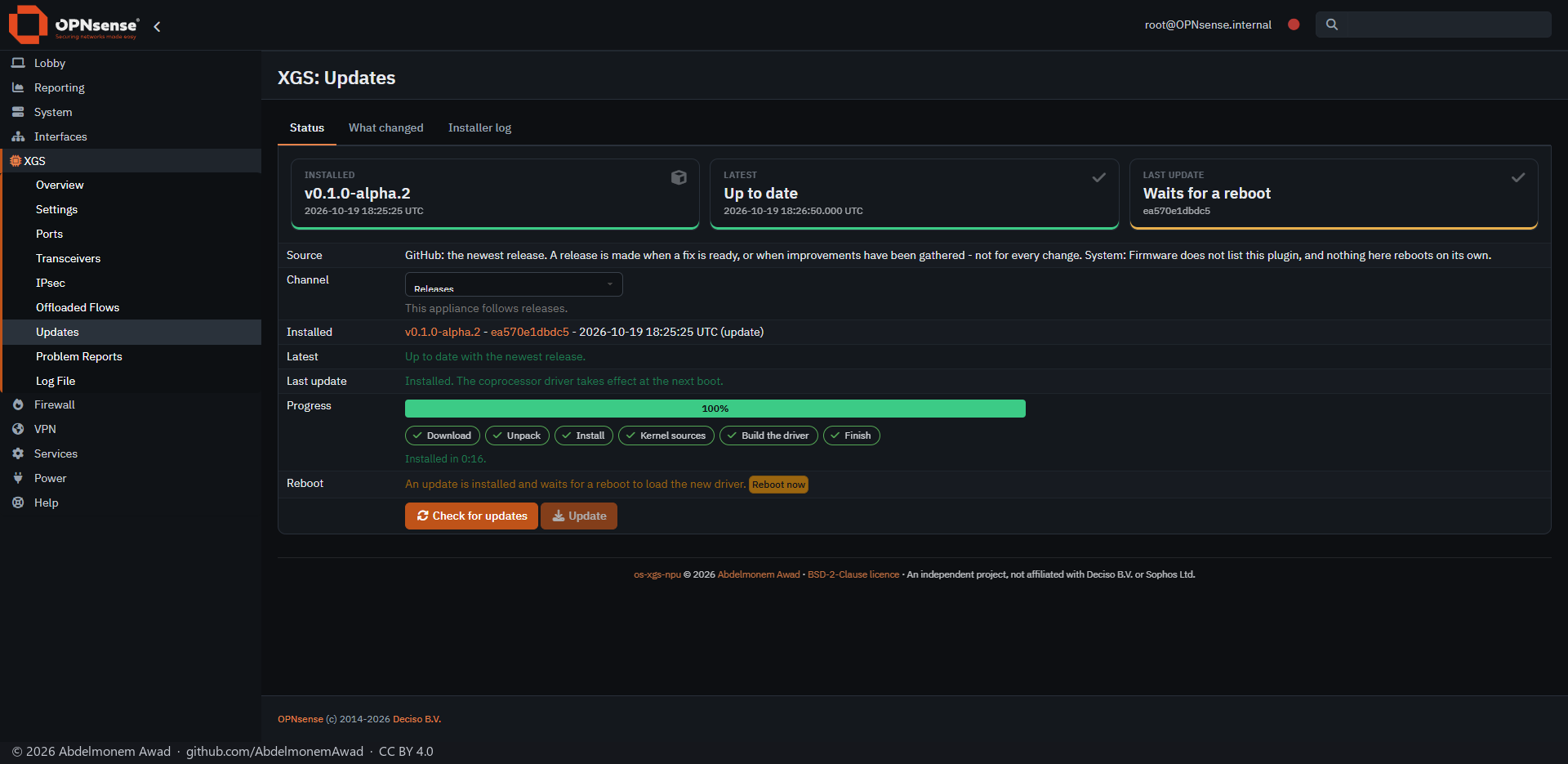
When it is done the bar is full and every step ticked. A reboot loads the driver just built, and the page offers it with Reboot now.
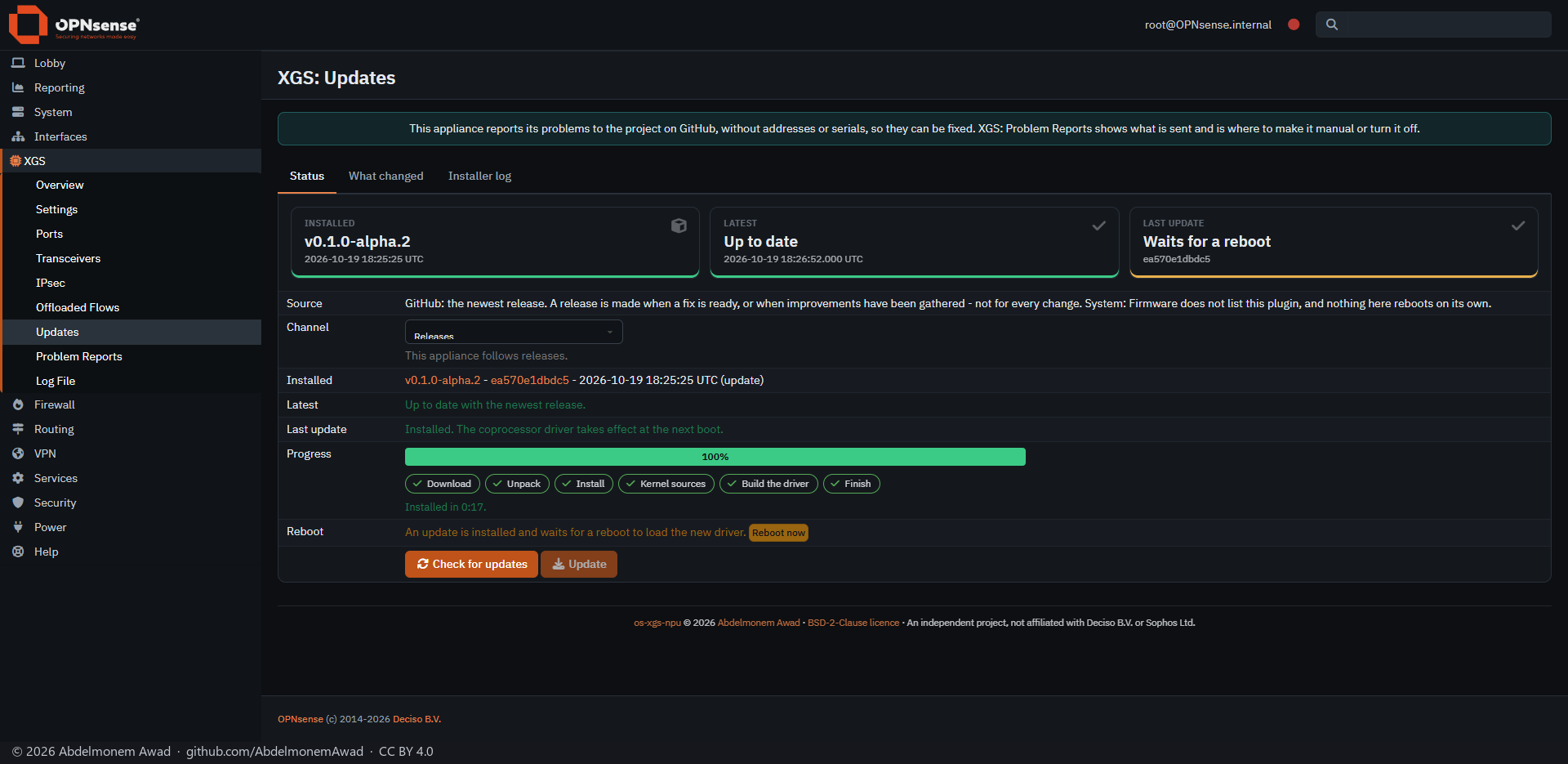
The XGS 136 was asked for a reboot too, although the driver its update built was byte for byte the one it was running (npuep 9619e07c, built by hand earlier the same day from the same source). A reboot would have loaded the same driver again:
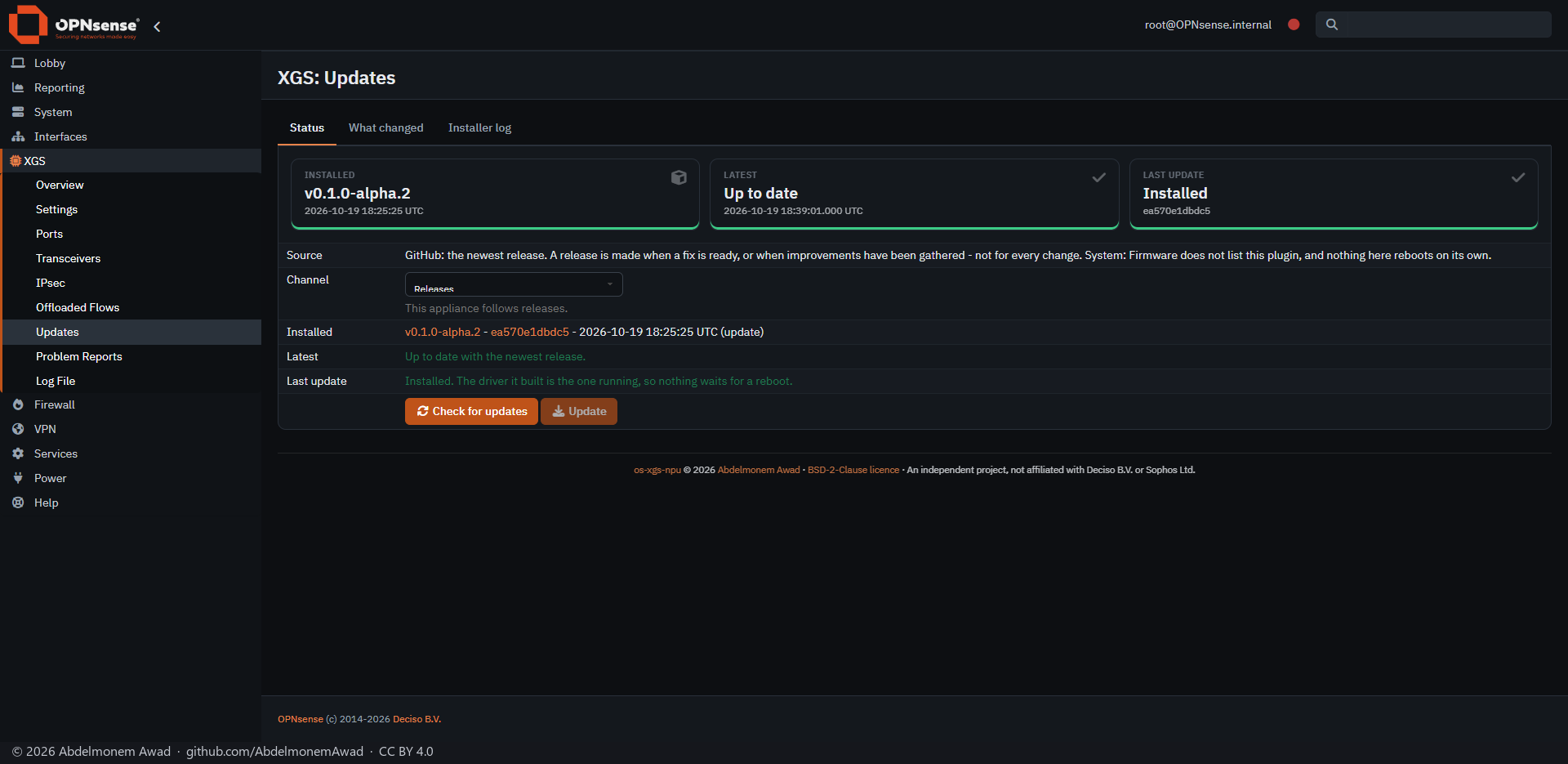
Now the update compares the driver it built with the one the boot loaded, and says when nothing waits:
6. The reboot
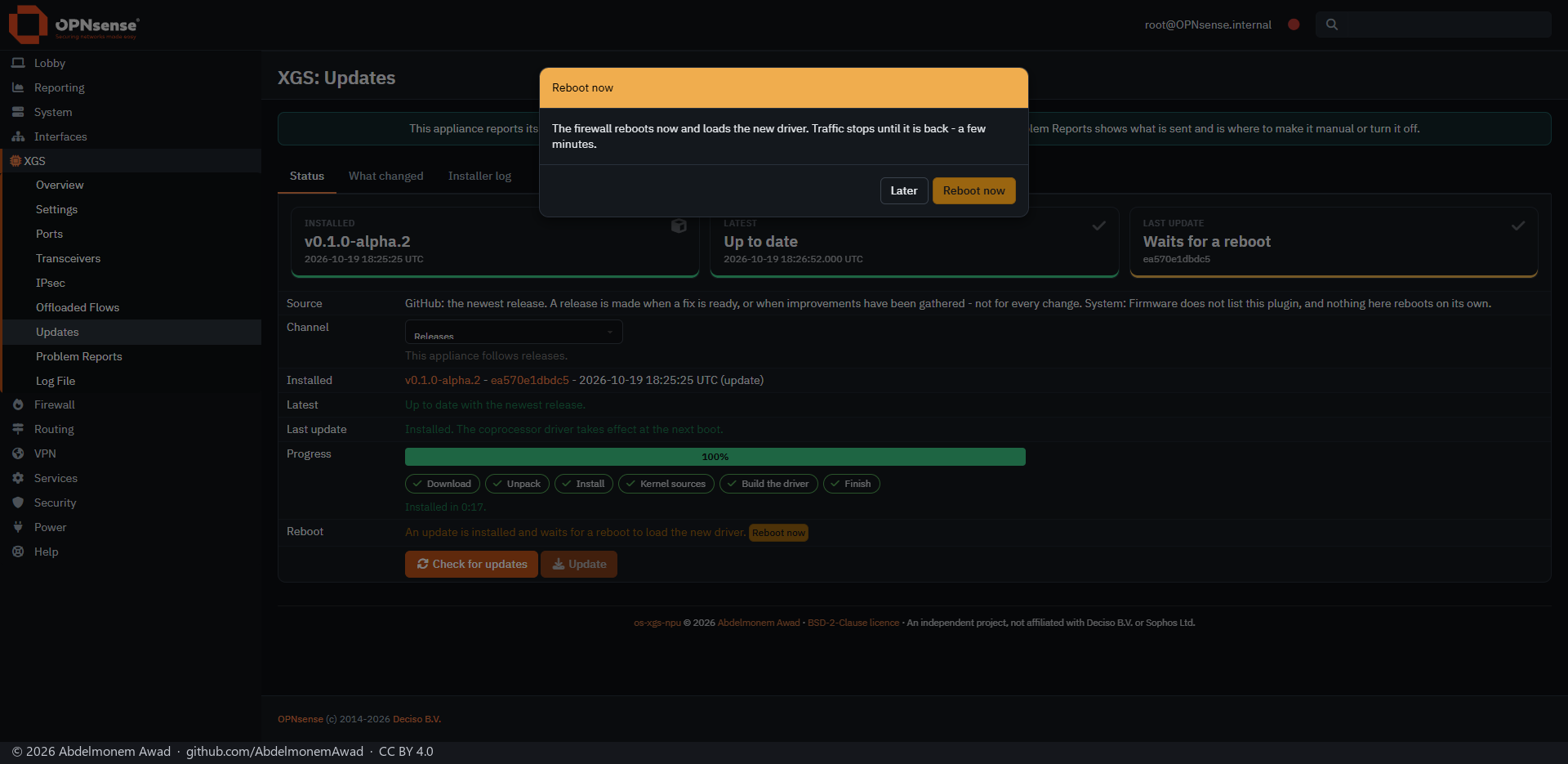
Reboot now asks once, and says what it costs: traffic stops until the appliance is back, a few minutes.
The first XGS 3300 was back at 18:36:09 UTC with the new driver (octep 3315c08f) loaded and its links up. The reboot also ended the browser's session, so the page after it asked for a login.
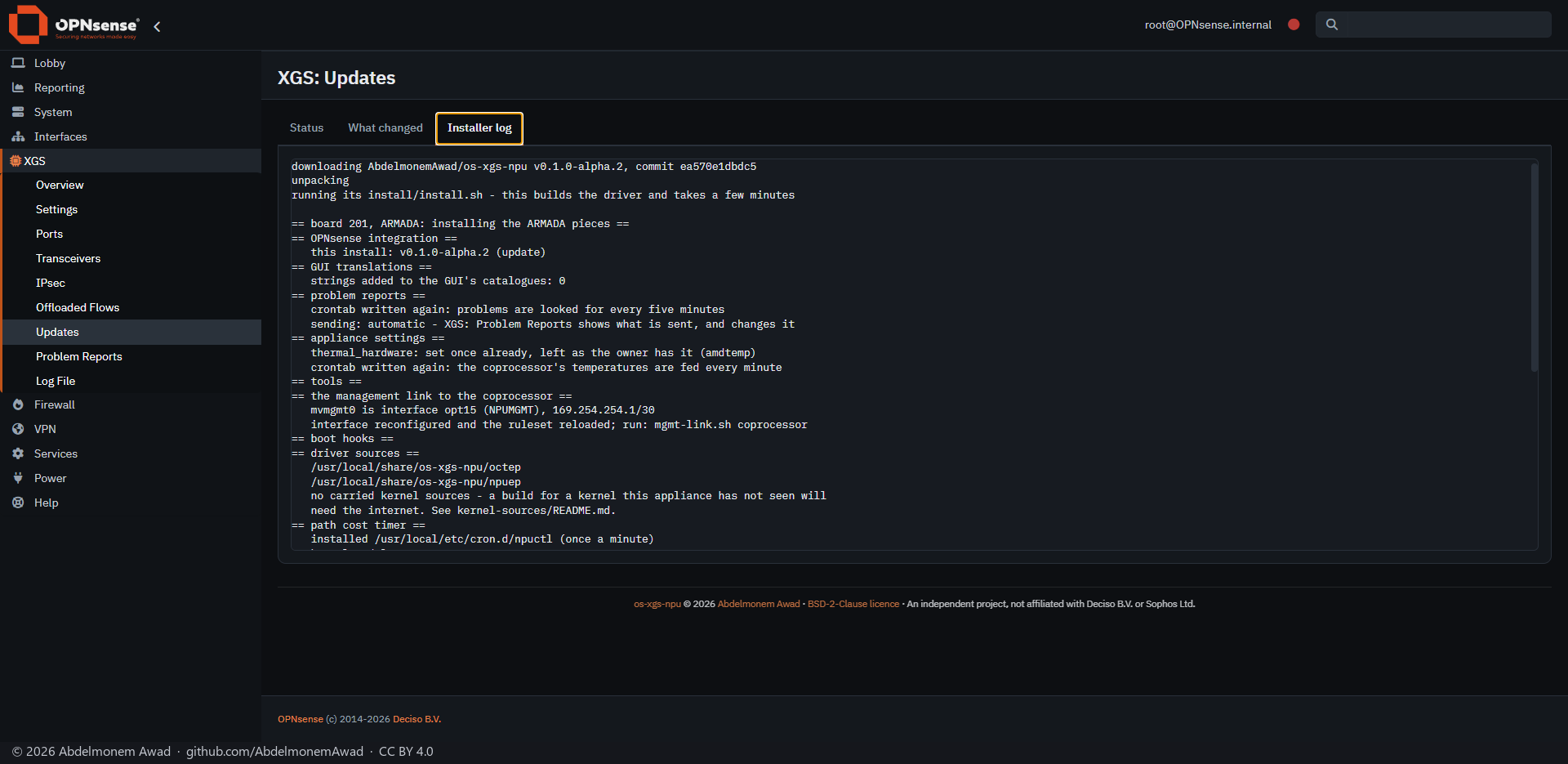
7. The installer's log
Installer log keeps everything the installer printed: what was downloaded, each part installed, and the driver's build.
A build from a branch
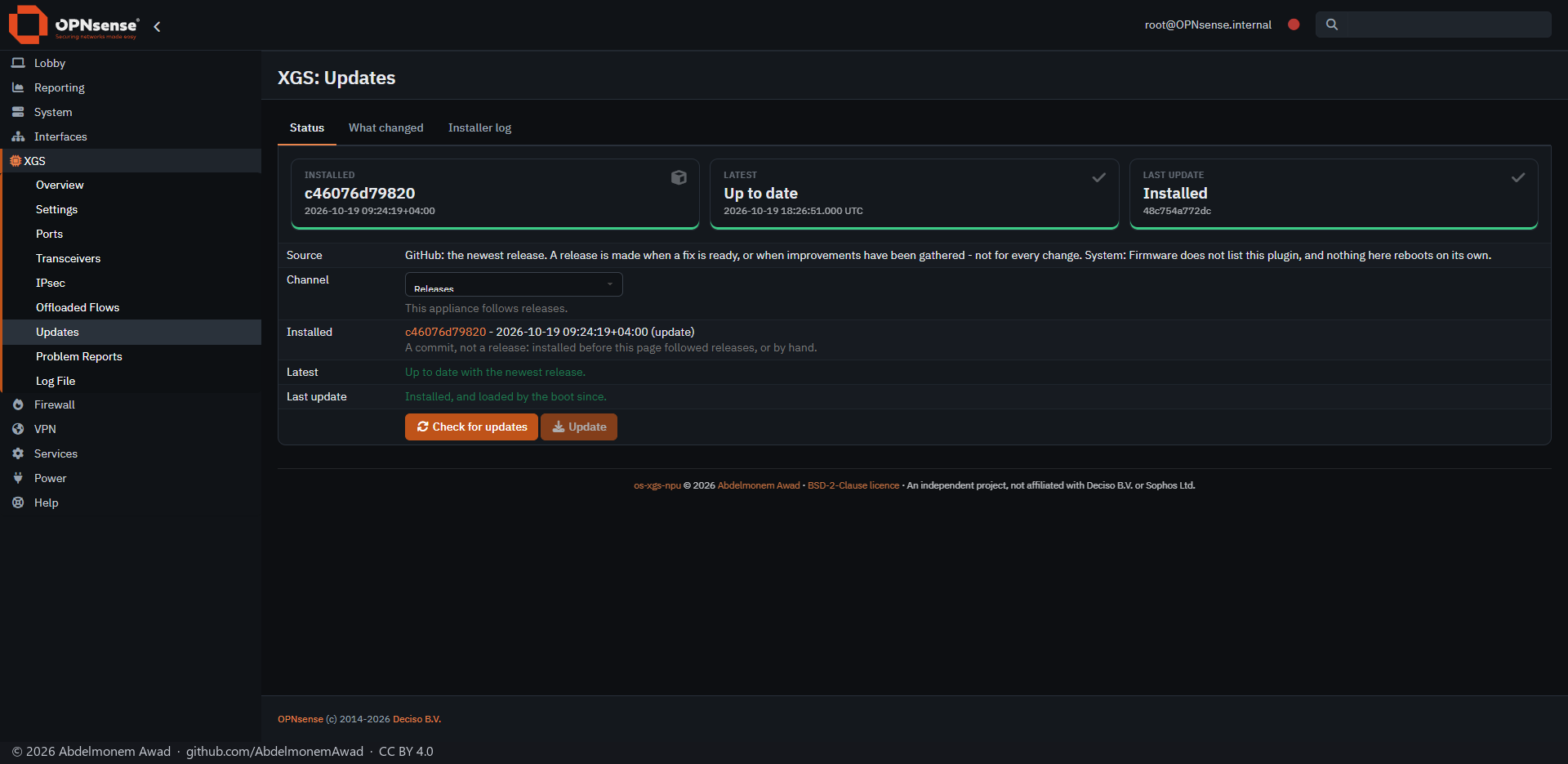
The second XGS 3300 had last been installed from a test branch. That build is not in the history of the releases: the branch's change was merged as a single commit, which is a different commit from the test build. Compared with the release, the build is neither ahead nor behind; GitHub calls this diverged. The page treated it as up to date and turned Update off:
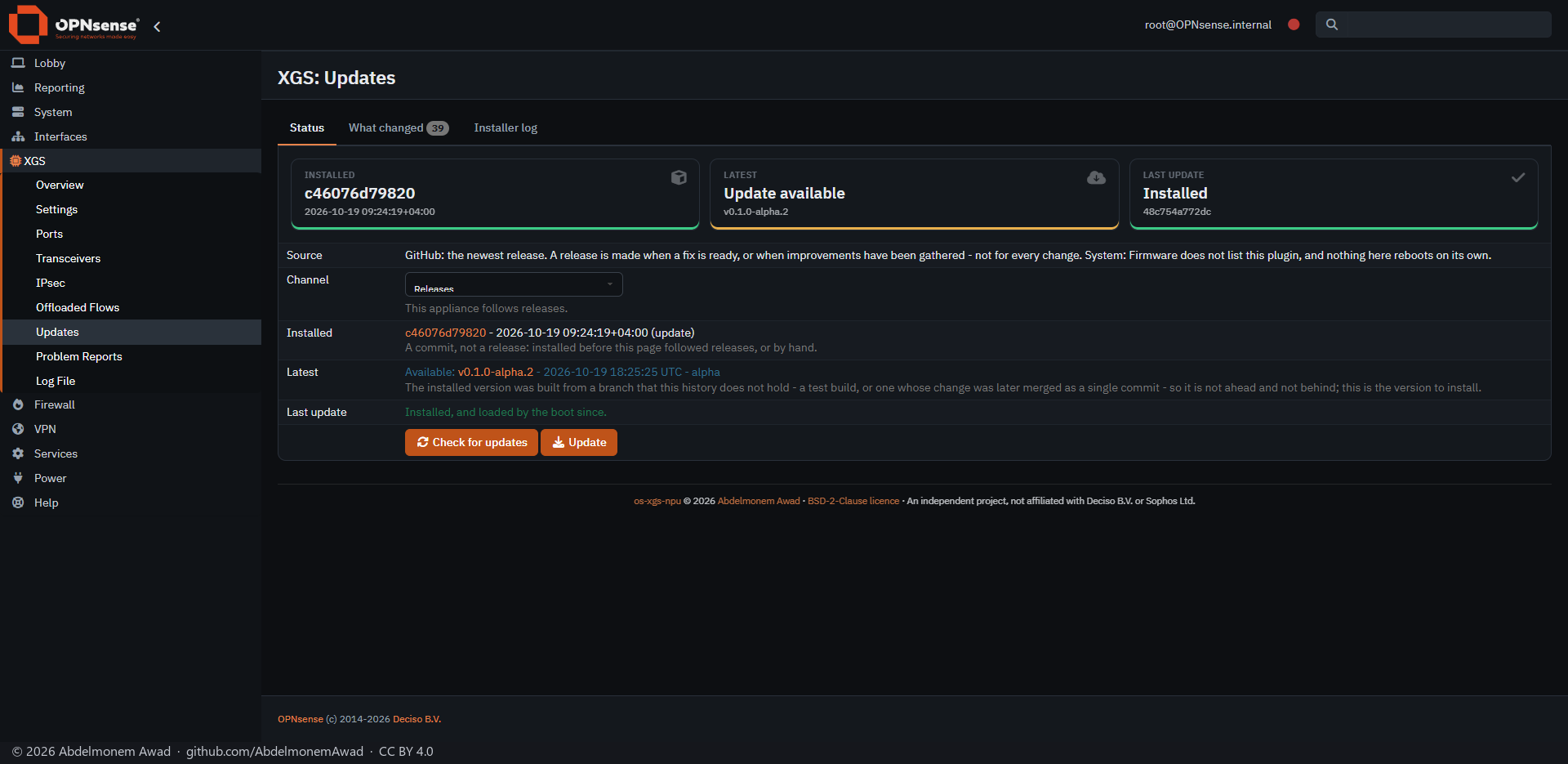
A build like that is now offered the release, with the reason beside it:
The discussion of this page is held in the project's GitHub Discussions. Showing it here loads giscus from giscus.app and GitHub, and writing in it needs a GitHub account - what that means.