The pages, one by one
Every page this project and its plugins add to OPNsense, photographed on 2026-10-19 on a real appliance - the second
XGS 3300, with its 4x10G expansion module, running this project's main - full screen, in the dark
theme, in English and in Arabic. The English photographs come first; each page's Arabic one is under
it. Nothing was staged: the figures are that appliance's at that moment.
Before each photograph, and only in it, a few values were masked: hardware addresses (MACs, and the IPv6 addresses built from them), public addresses, the module serial numbers, the owner's domain, and a server's name in two port descriptions, which reads "server". Private lab addresses were left as they are; they are the bench's, in the measurements as well.
How they were taken: the page opened in a browser window on the PC, the values masked in the page,
then the window photographed by PrintWindow and cut to the page - the way every measurement here is
photographed. All of them, with every other image in the repository, are listed in
docs/images/README.md.
| page | where | what it is for | |
|---|---|---|---|
| 0 | Lobby: Dashboard | OPNsense's own | the first page after logging in, with the appliance on it |
| 1 | XGS: Overview | XGS | the coprocessor, the front panel and the board's tables at a glance |
| 2 | XGS: Settings | XGS | every setting of the project, in one page |
| 3 | XGS: Ports | XGS | every front port: what it is assigned as, its link, its MTU |
| 4 | XGS: Transceivers | XGS | the modules in the cages and what they report |
| 5 | XGS: IPsec | XGS | the associations in the coprocessor's crypto engine |
| 6 | XGS: Offloaded Flows | XGS | the connections the coprocessor forwards itself |
| 7 | XGS: Updates | XGS | the project's releases, installed from the page |
| 8 | XGS: Problem Reports | XGS | what goes wrong, cleaned and filed as an issue |
| 9 | XGS: Log File | XGS | the project's own log |
| 10 | Reporting: Network Report | os-netreport | a report of the network by mail, on a schedule |
| 11 | System: Fan Control | os-fanctl | temperatures and fans |
| 12 | System: Front Panel | os-frontpanel | the LCD and the keys beside it |
| 13 | Interfaces: Link Health | os-linkhealth | a verdict on every port from its error counters |
| 20 | The image builder | its own site | where an install starts |
Lobby: Dashboard
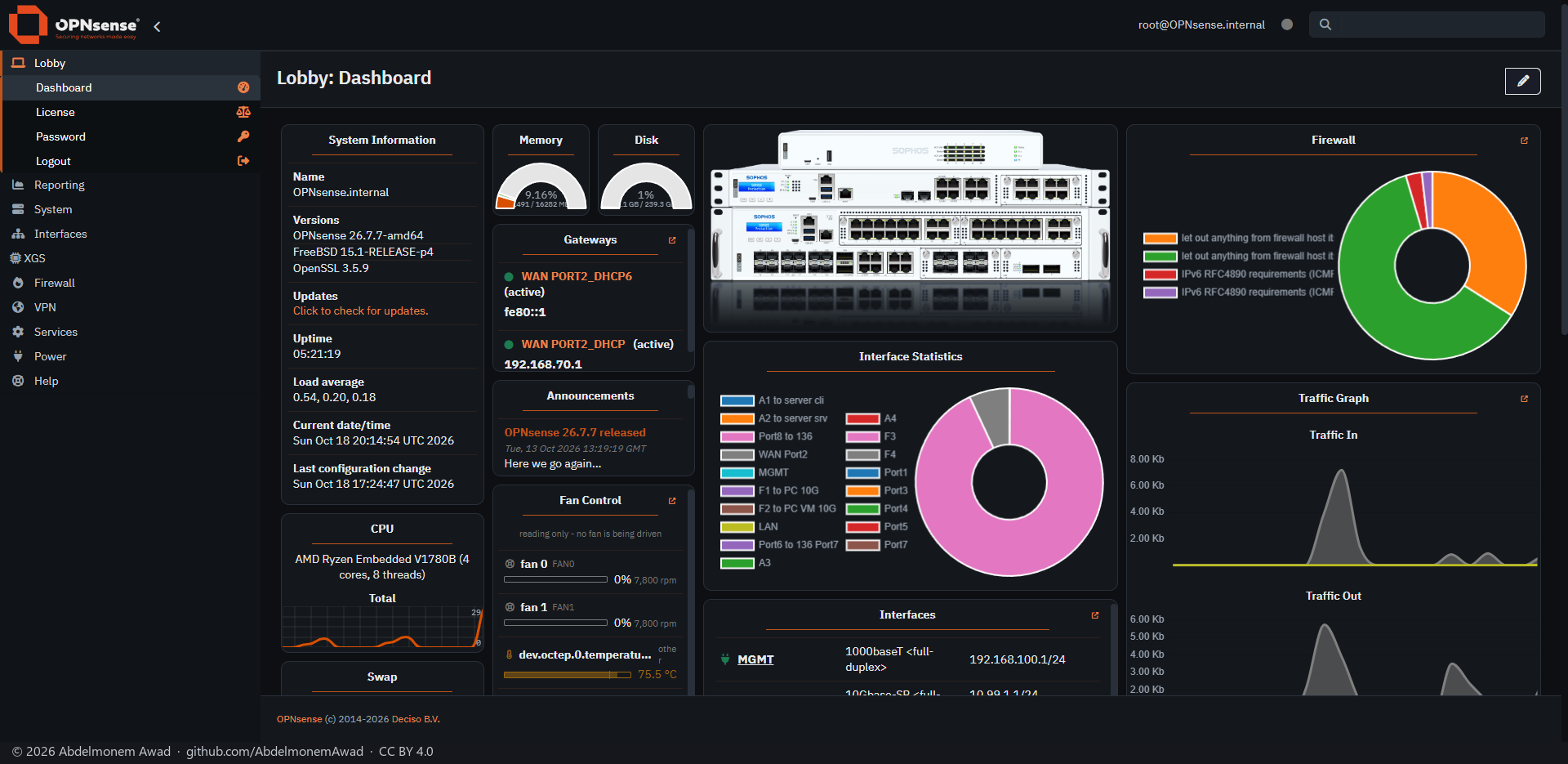
OPNsense's own dashboard, as the image leaves it. The drawing of the appliance - the XGS 3300 with its expansion module here - is the theme's, os-theme-xgs; Fan Control is os-fanctl's widget, with the fans and every temperature the board gives, the coprocessor's among them. The dashboard also takes XGS Offloaded Flows, a widget of this project, from its widget list.
The same page in Arabic
XGS: Overview
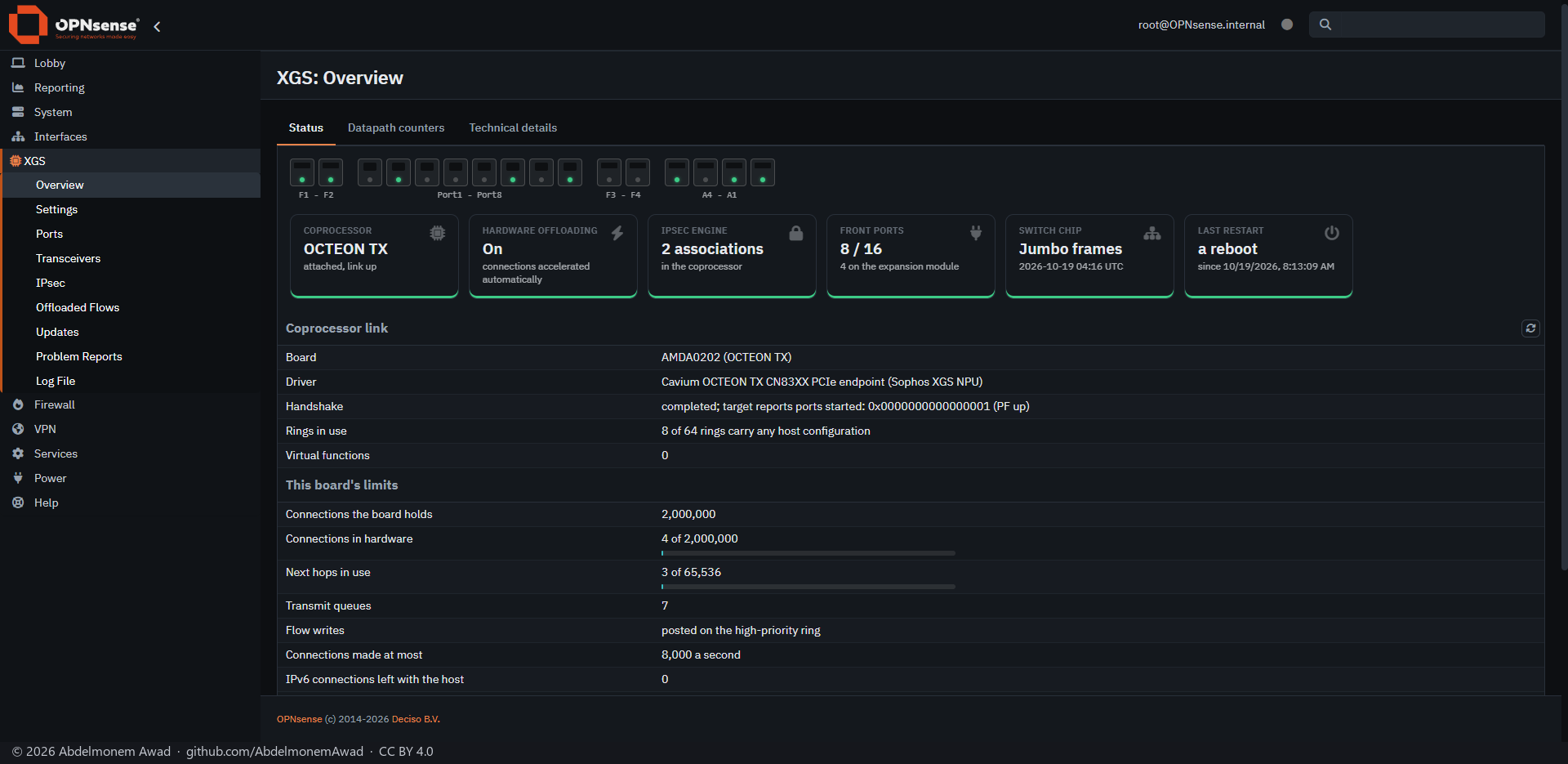
The first page of the XGS section. At the top, the front panel drawn in the chassis's order - the two cages, Port1 to Port8, two more cages, the expansion module's A4 to A1 - each with its link as a light. Then a card each for the coprocessor and its link, hardware offloading, the IPsec engine, the front ports, the switch chip, and the cause of the last restart as the chipset recorded it. Under them Coprocessor link, This board's limits - the connections and next hops the board holds, with a bar of how much of each is in use - and the control facility. Datapath counters and Technical details are its other tabs. Photographed again on 2026-10-19 while two streams crossed the appliance in hardware and a third went through the IPsec tunnel to the XGS 136: four connections in hardware, two associations in the engine.
The same page in Arabic
XGS: Settings
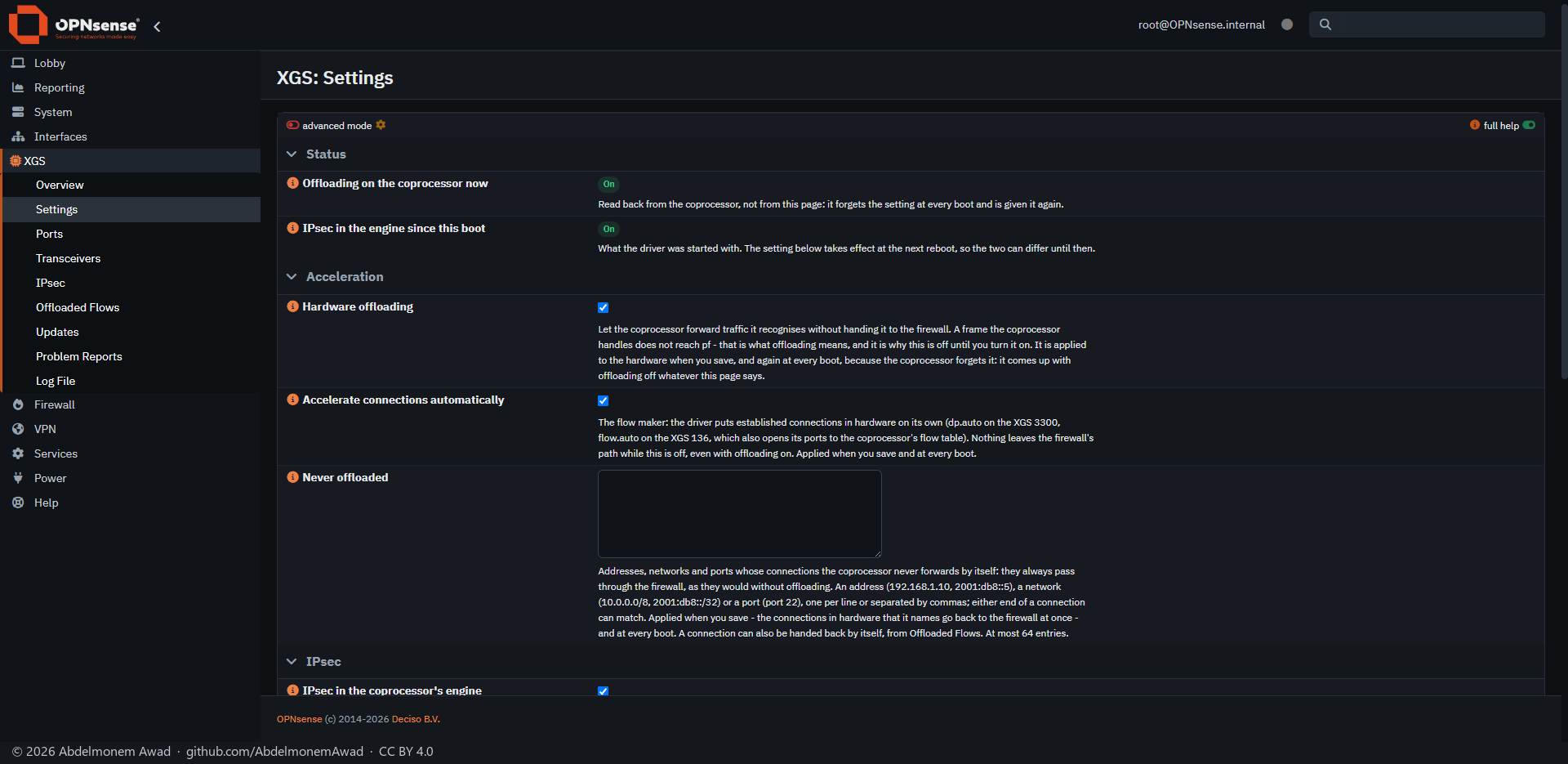
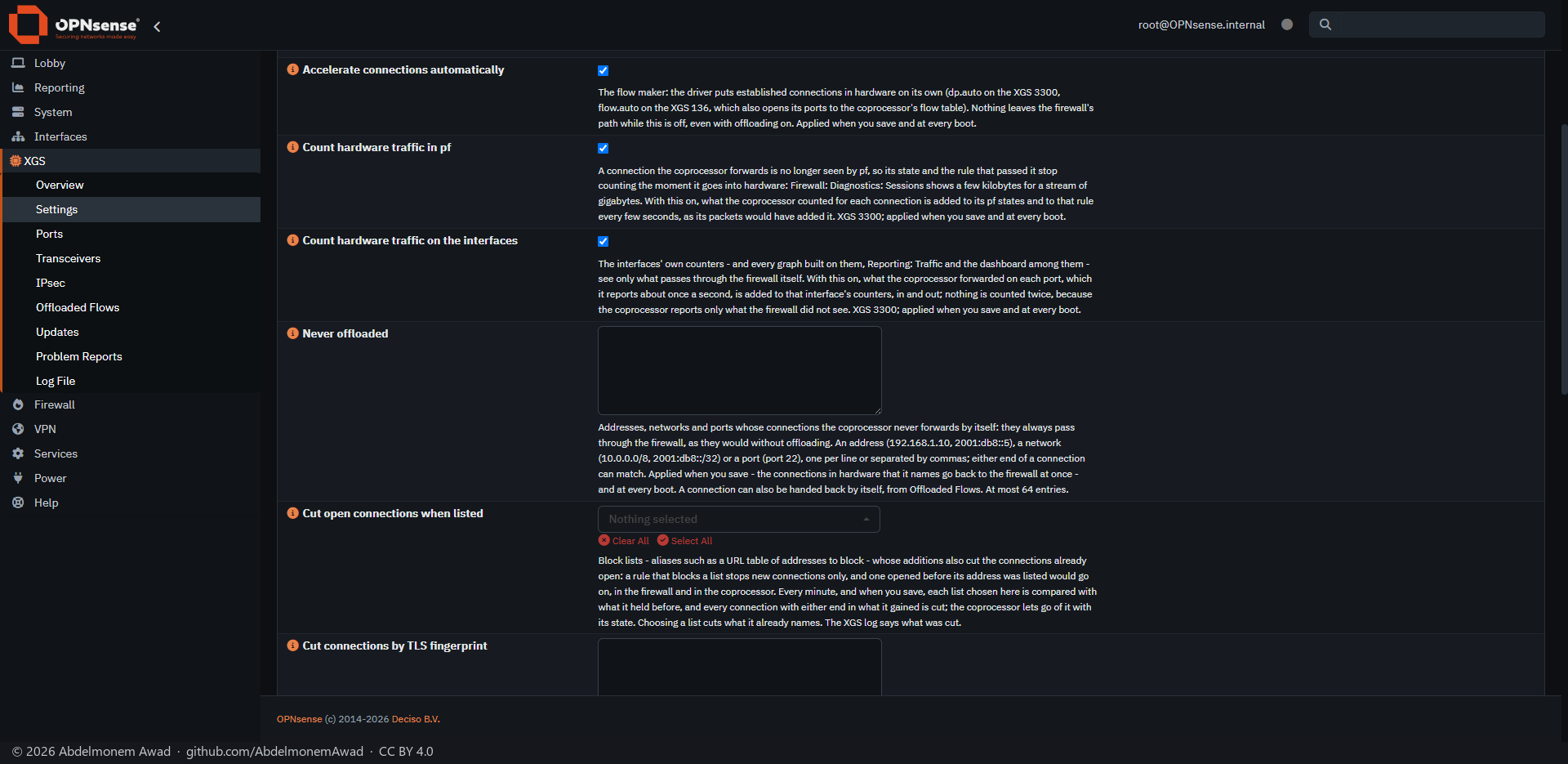
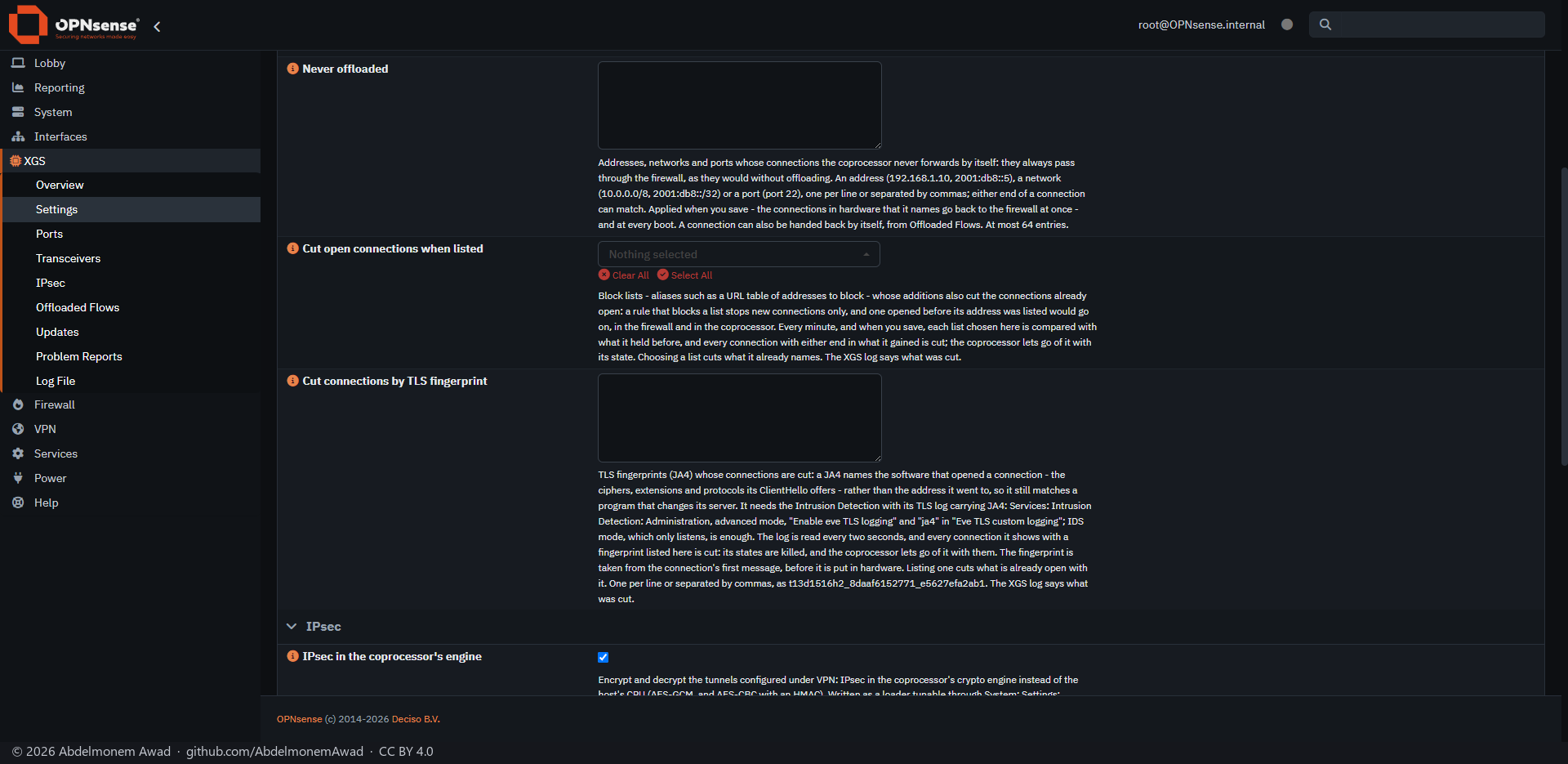
Every setting the project has, and only those this appliance has. Status reads back what the coprocessor is doing now, which can differ from the page until the next boot. Acceleration is hardware offloading, the flow maker that hands settled connections to the coprocessor on its own, and Never offloaded - addresses, networks and ports whose connections always stay with the firewall. IPsec puts the associations in the coprocessor's engine. Full help shows the text under each setting, as here; advanced mode shows the rest. Since 2026-10-19 Acceleration also has Cut open connections when listed: block lists whose additions cut the connections already open (measured), and Cut connections by TLS fingerprint: JA4 fingerprints whose connections are cut, read from the Intrusion Detection's log (measured) - both below, further down the same page. And on both appliances, Count hardware traffic in pf and Count hardware traffic on the interfaces, on by default: what the coprocessor forwards, which pf and the interfaces never see, added to pf's states and rules and to the interfaces' counters, so the Sessions page and the traffic graphs show it (measured; on the XGS 136, measured). Below the two cuts, Watch for unusual traffic reports a scan, a sweep, or a host far beyond its own normal in the XGS log, and blocks nothing (measured).
The same page in Arabic
  XGS: Ports
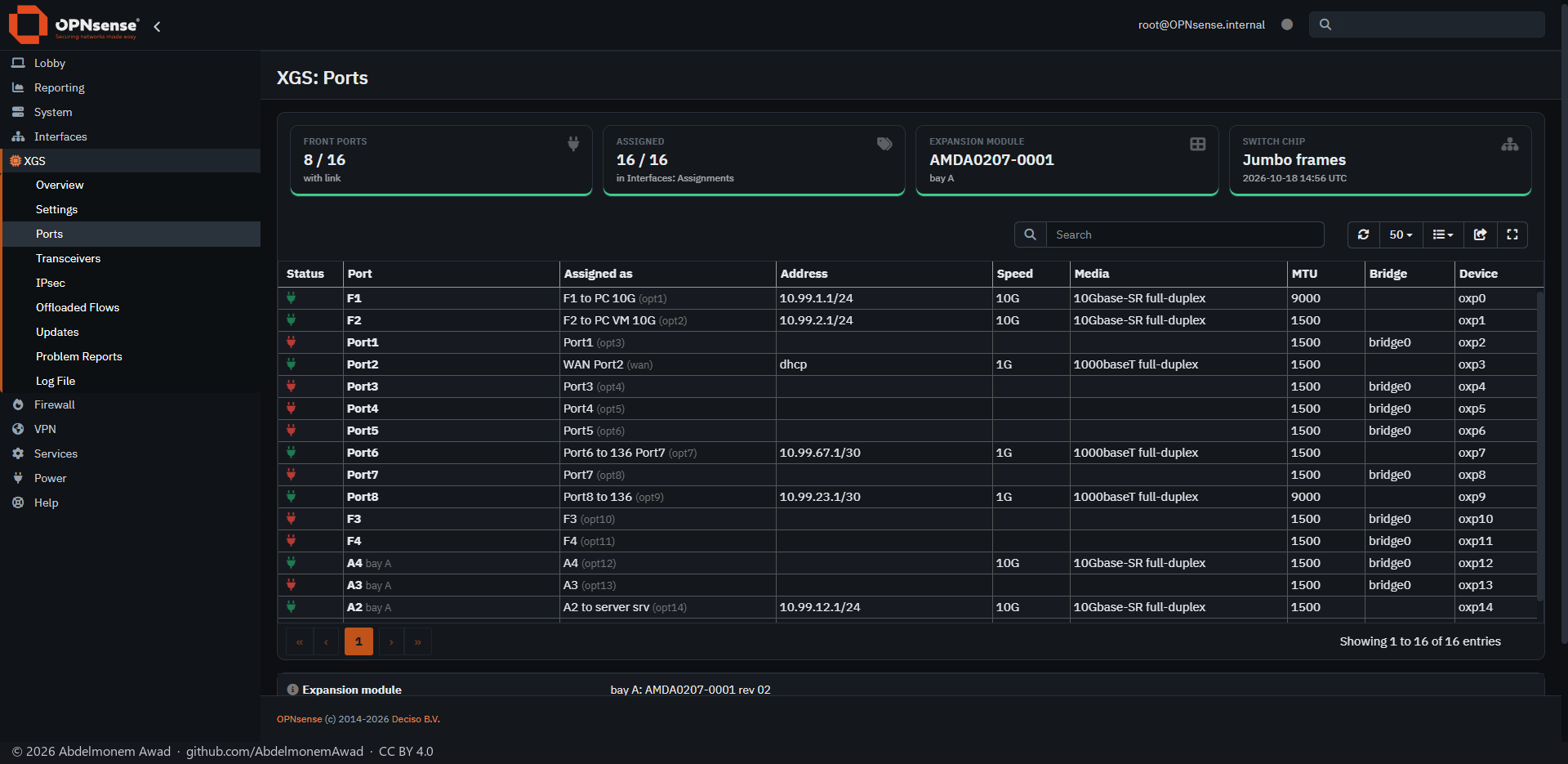
Every front port by the name on the chassis, with its link, what OPNsense has it assigned as, its address, speed, media, MTU, the bridge it is a member of and its device name. The cards count the ports with a link and the ones assigned, name the expansion module in its bay, and say whether the switch chip is in its jumbo-frame mode.
The same page in Arabic
XGS: Transceivers
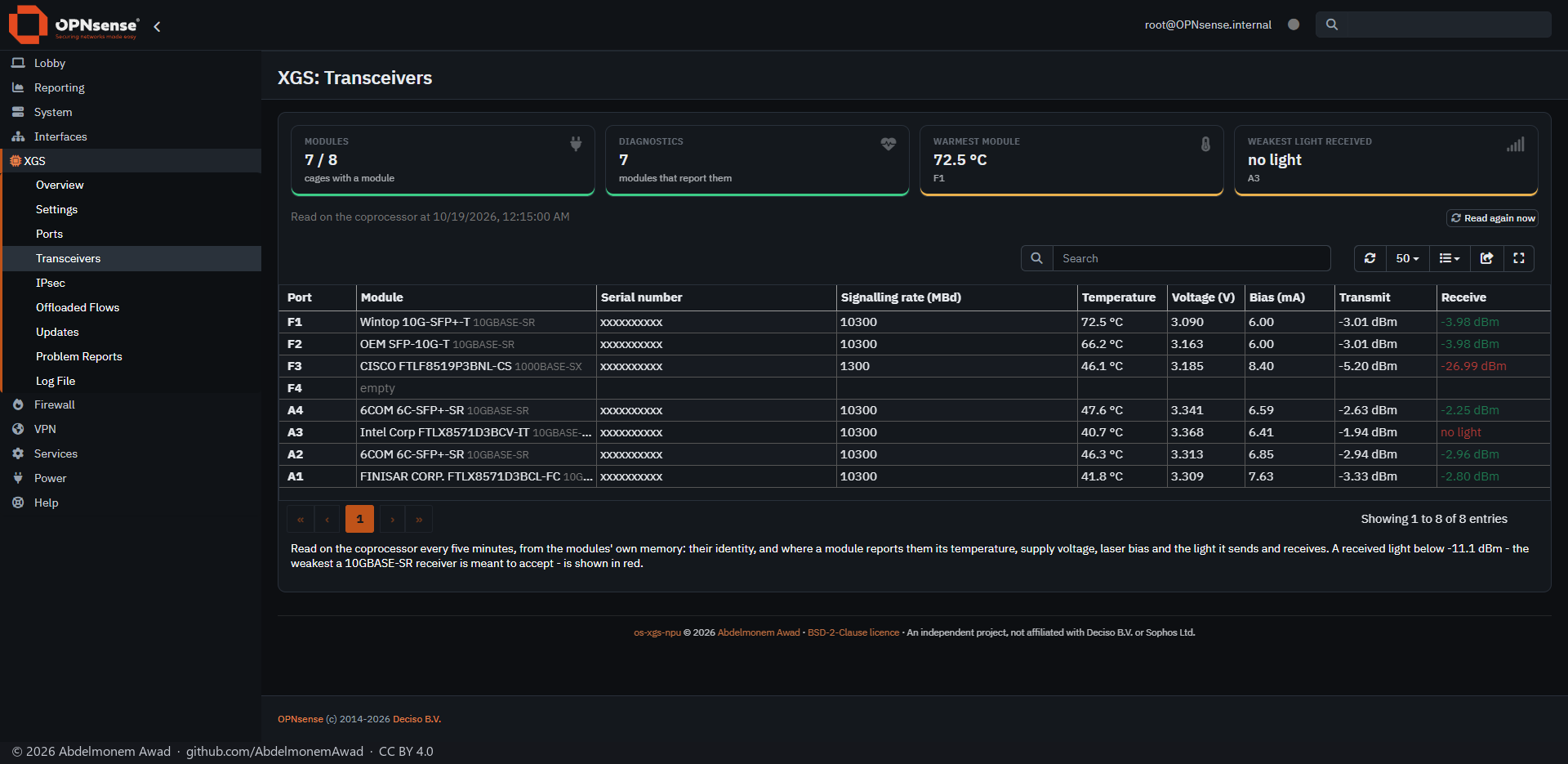
The module in each cage, read on the coprocessor every five minutes from the module's own memory: what it is, and where it reports them its temperature, supply voltage, laser bias and the light it sends and receives. A received light below -11.1 dBm, the weakest a 10GBASE-SR receiver is meant to accept, is red - A3 here receives none. The cards name the warmest module and the weakest light. The serial numbers are masked in this photograph.
The same page in Arabic
XGS: IPsec
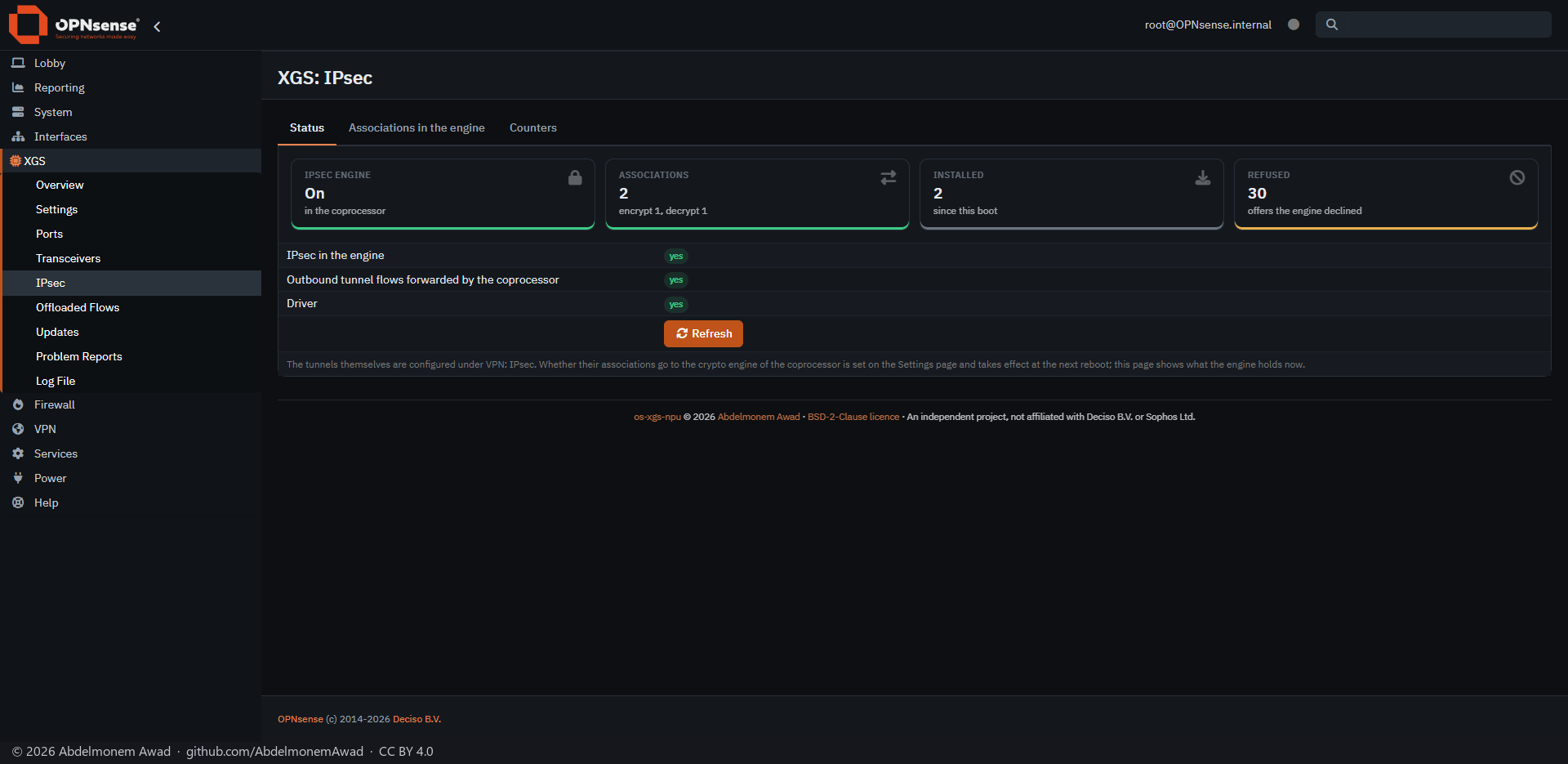
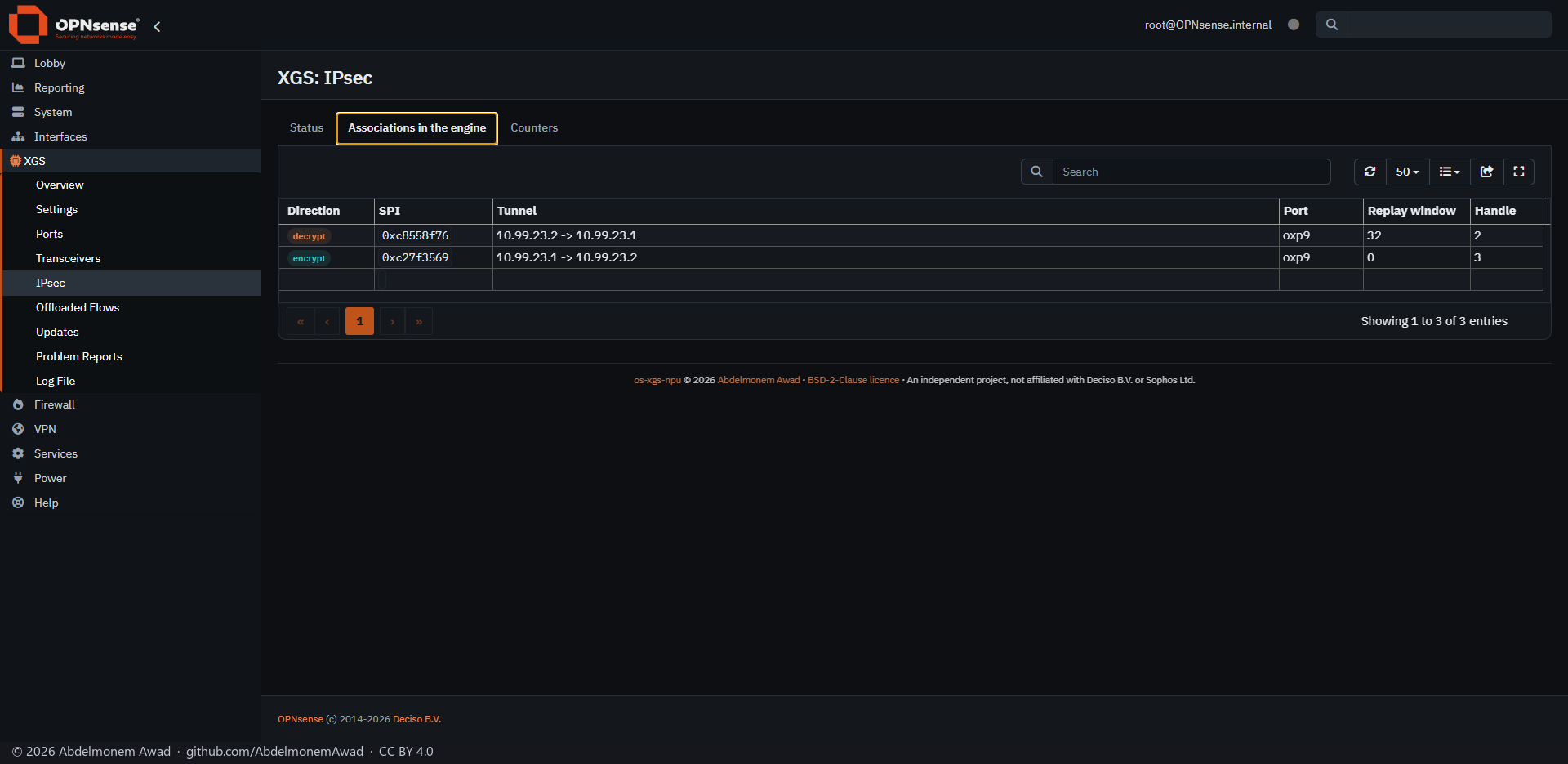
What the coprocessor's crypto engine holds now: whether the engine is in use, the associations in it,
those installed since the boot and the offers it declined. The tunnels themselves are configured
where they always are, under VPN: IPsec; whether their associations go to the engine is set on
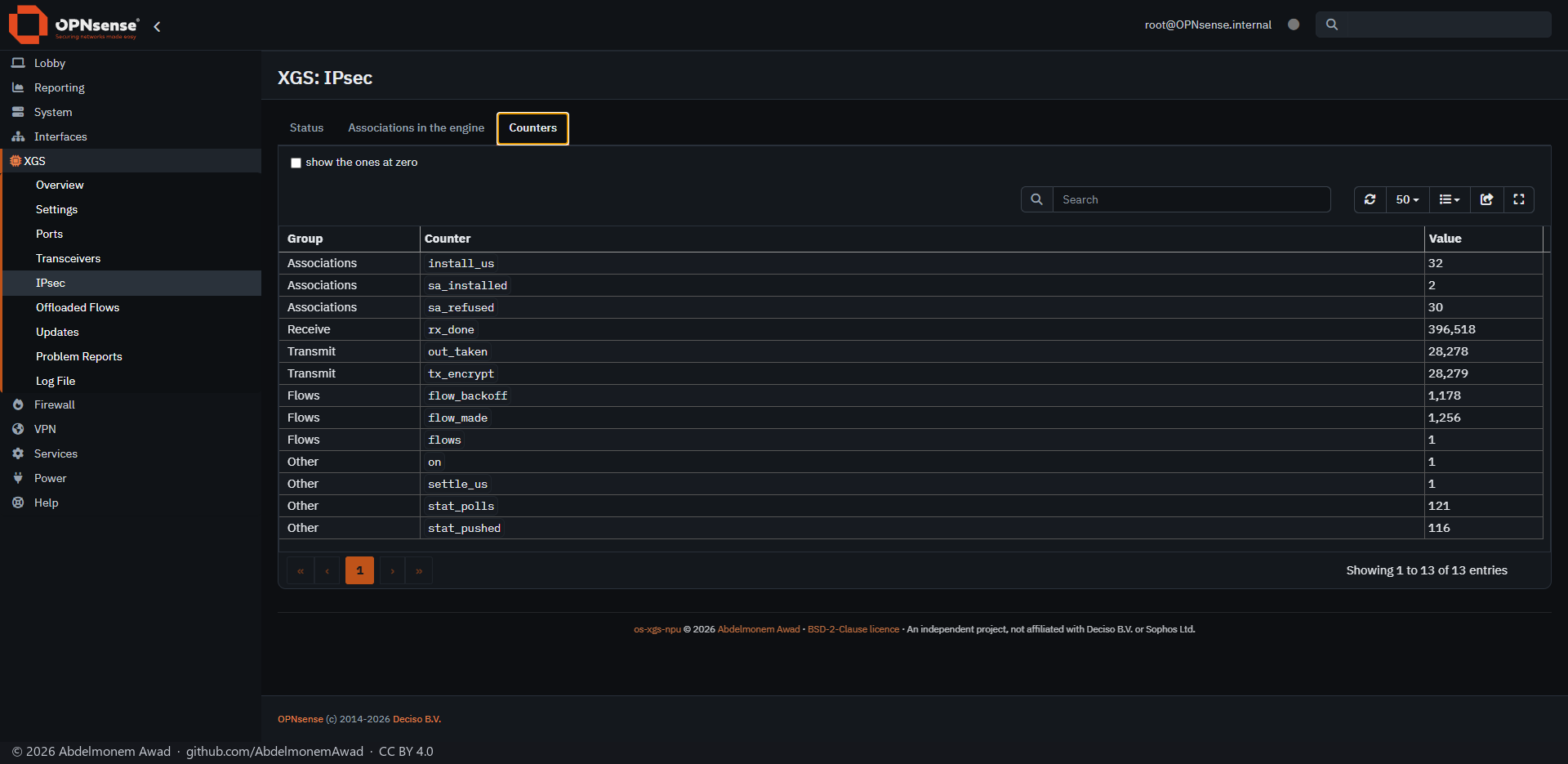
Settings. Photographed on 2026-10-19 with the tunnel to the XGS 136 carrying a stream of fetches:
the engine on, an association each way. Associations in the engine lists them - direction, SPI,
the tunnel's two ends, the port, the replay window and the handle - and Counters shows the
engine's work: frames decrypted on arrival (rx_done), frames encrypted on the way out
(tx_encrypt), and the connections made through the tunnel.
The same page in Arabic
  XGS: Offloaded Flows
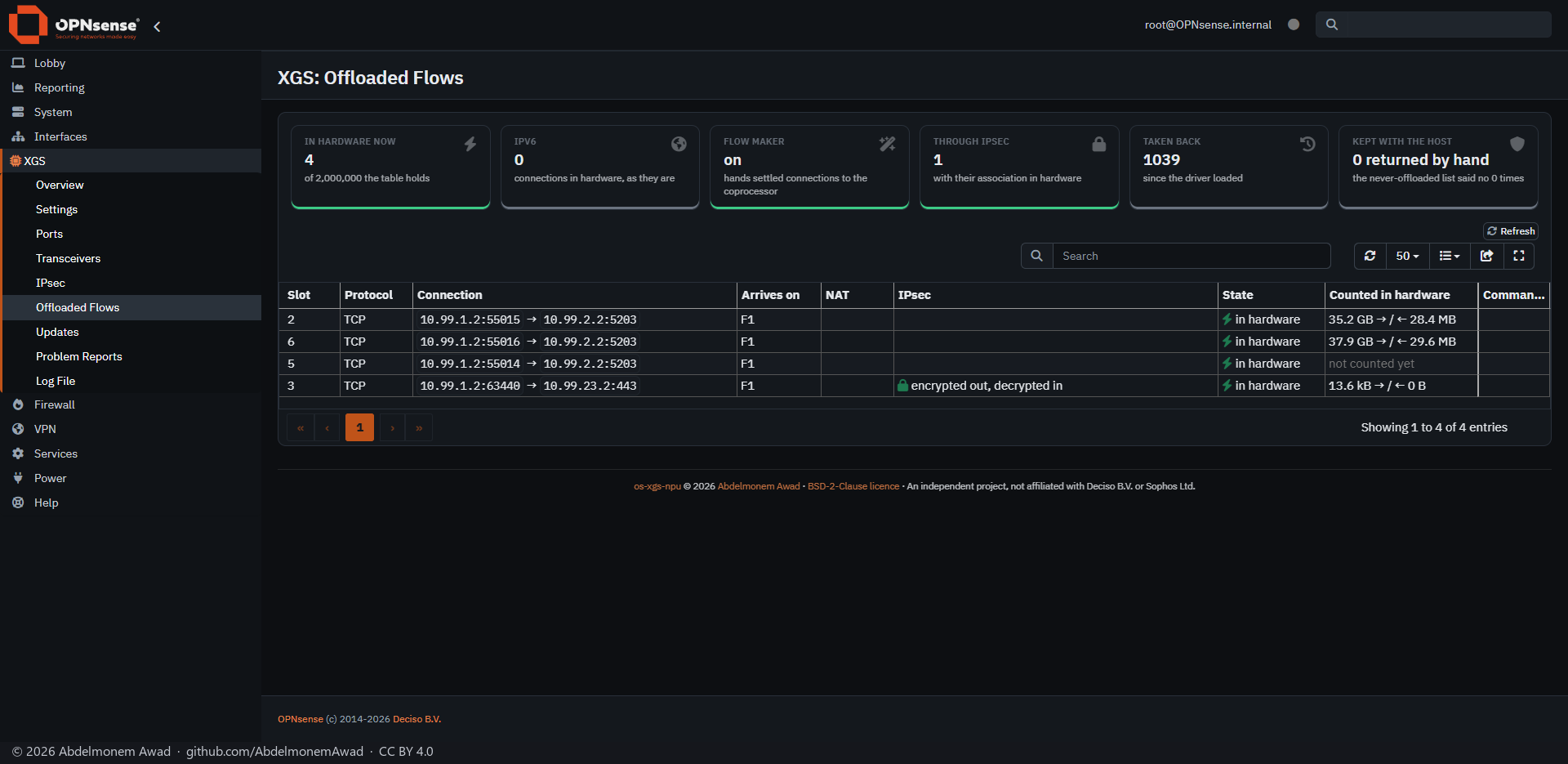
The connections the coprocessor forwards itself, one row each, with Return to host on every row
to hand one back to the firewall. The cards count the table against the board's size, the IPv6 ones,
those with their IPsec association in hardware, those taken back, and those kept with the host - by
hand or by the never-offloaded list. No connection crossed this appliance at the moment of the
photograph, so the table is empty Photographed again on 2026-10-19 with traffic: two streams in
hardware, a third connection open beside them, and one through the IPsec tunnel - encrypted on the way
out and decrypted on the way in by the engine. Since that day the XGS 3300's rows also have Counted
in hardware - the bytes the coprocessor counted each way, from the opener and back to it, with
Packets in hardware among the hidden columns - read from the counts the coprocessor sends about
once a second (measured); a connection the coprocessor has not yet named in a
message says not counted yet.
The same page in Arabic
XGS: Updates
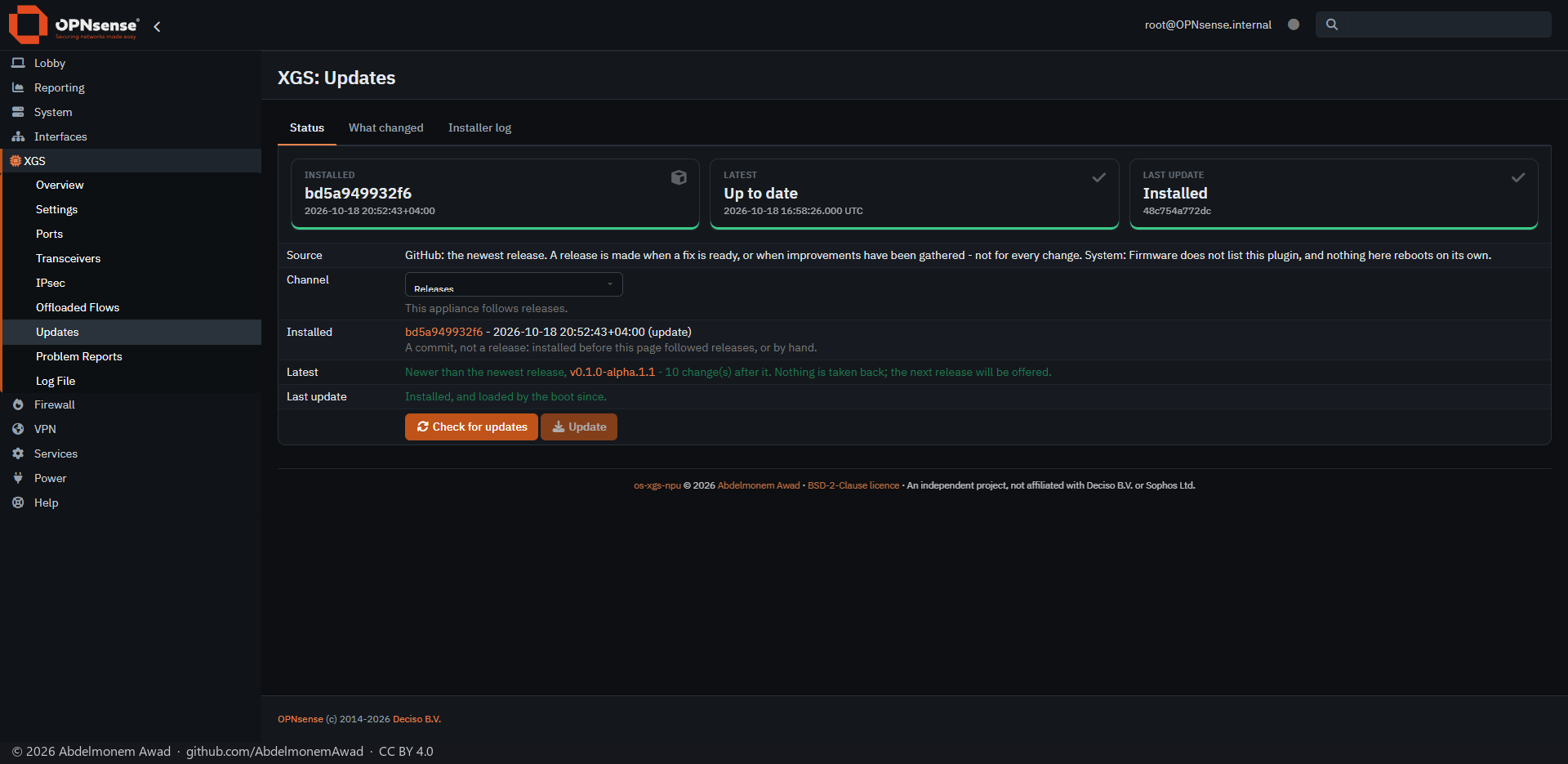
The project's own updates, which OPNsense's firmware page does not list: Check for updates asks
GitHub for the newest release, What changed lists the releases since the one installed, and
Update installs it with a progress bar; the new driver loads at the next boot. Channel is
Releases for an appliance in service, or Test for every change merged. This appliance was
updated by hand from main for the work of 2026-10-18, so the page says so: a commit, not a release,
newer than the newest release - the next release will be offered to it.
Step by step, each step photographed on the three appliances: Updating an appliance.
The same page in Arabic
XGS: Problem Reports
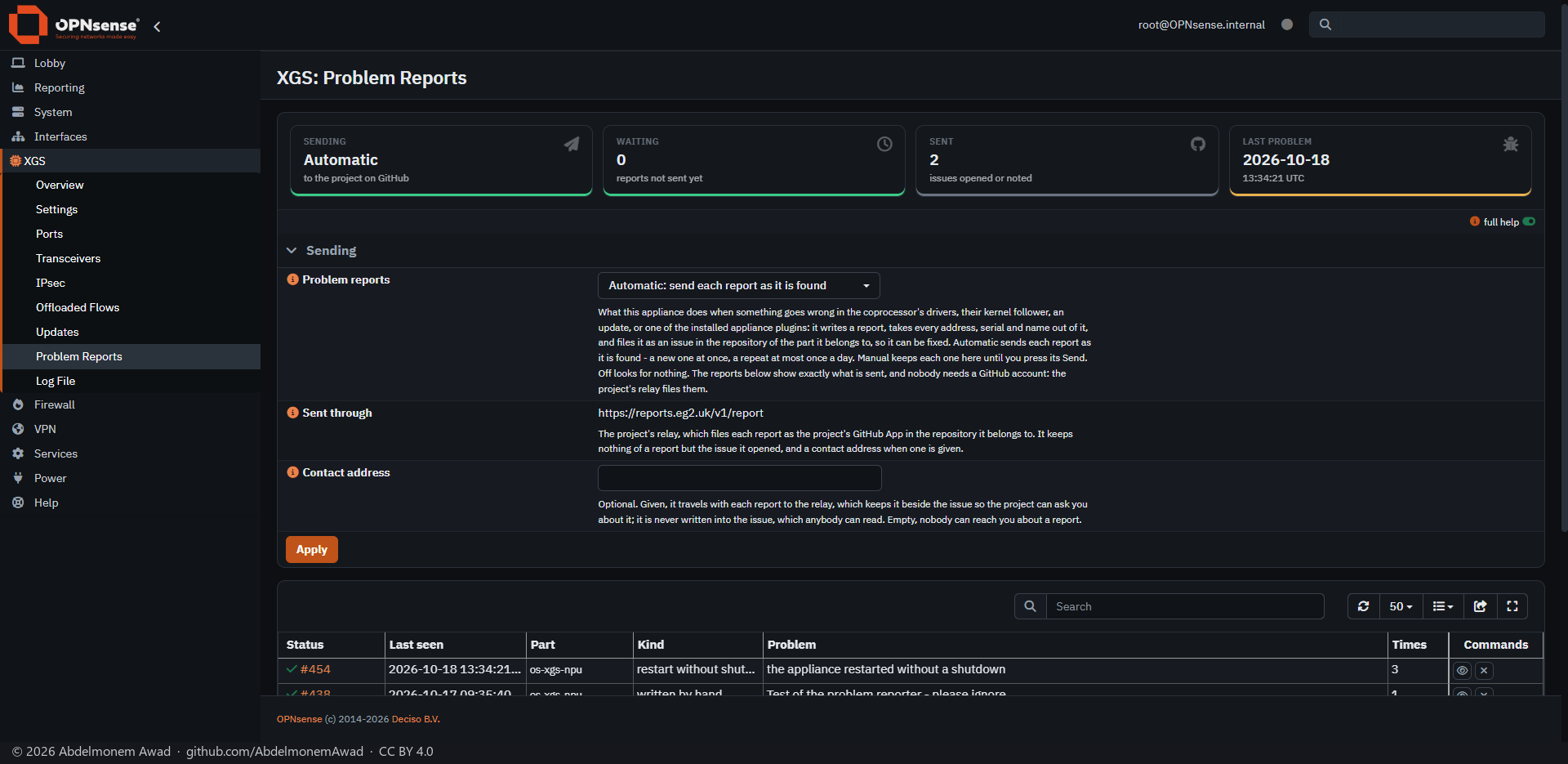
When something goes wrong in the drivers, an update or one of the appliance plugins, the appliance writes a report, takes every address, serial and name out of it, and files it as an issue in the repository it belongs to, through the project's relay - so nobody needs a GitHub account. Automatic, Manual or Off; the table shows exactly what each report sent, and links to its issue. See docs/problem-reports.md.
The same page in Arabic
XGS: Log File
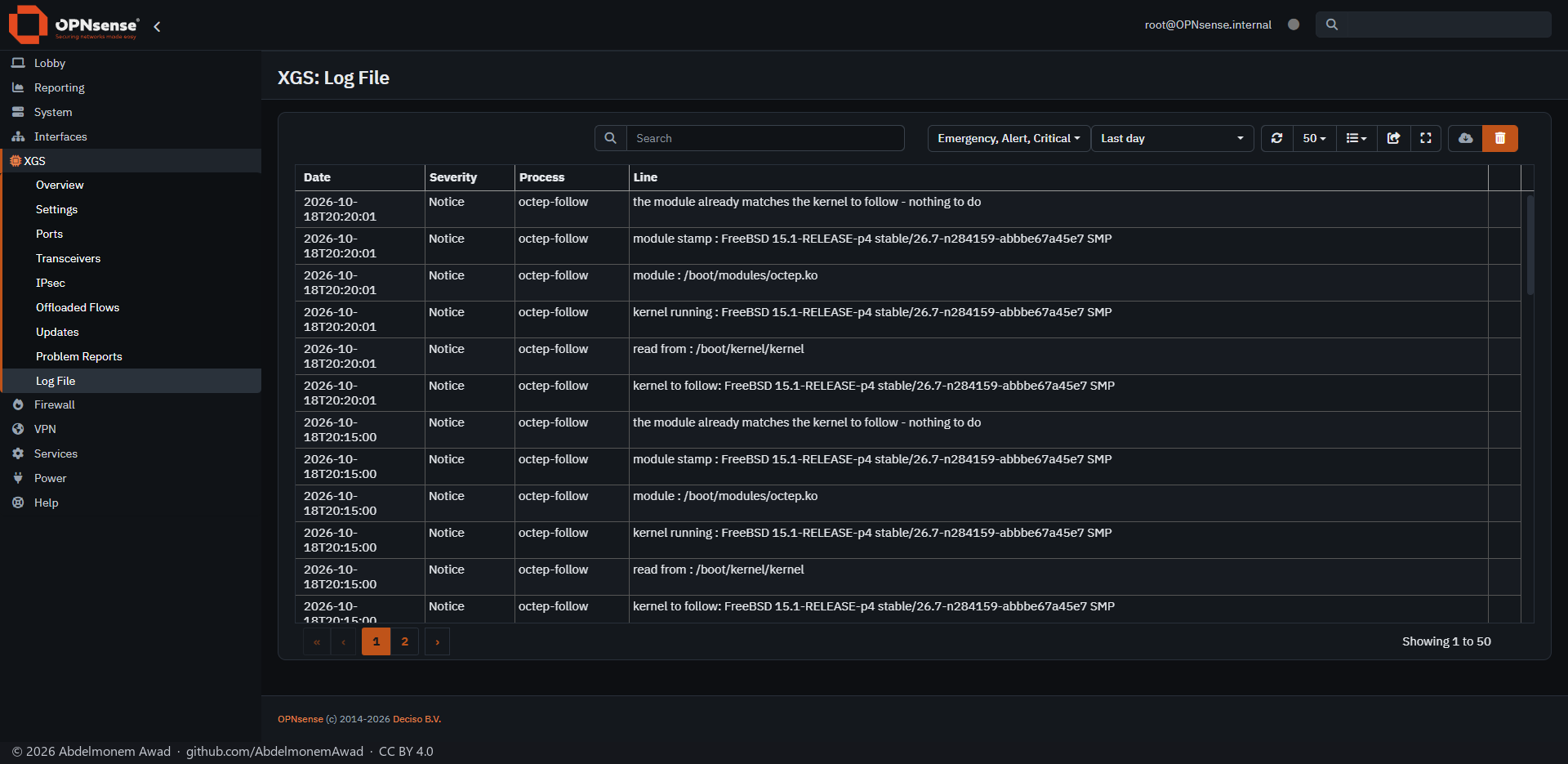
The project's log in OPNsense's own log viewer: the boot hooks, the kernel follower that keeps the driver built for the running kernel - here, every five minutes, finding nothing to do - the updates and the plugins.
The same page in Arabic
Reporting: Network Report
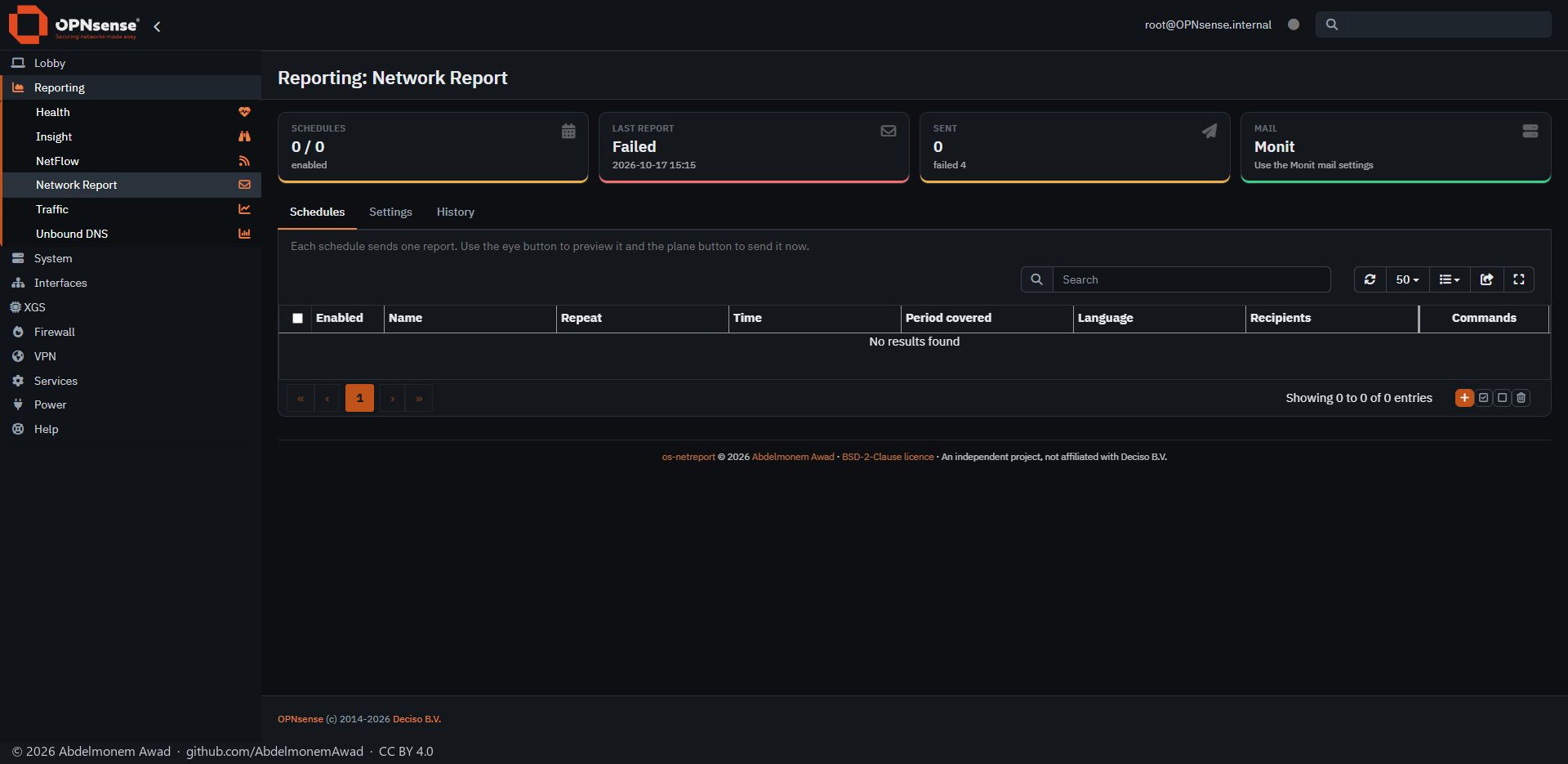
os-netreport: a report of the network sent by mail on a schedule, in English or Arabic, through the mail settings OPNsense already has for Monit. The eye button previews a schedule's report and the plane sends it now. No schedule is set on this appliance.
The same page in Arabic
System: Fan Control
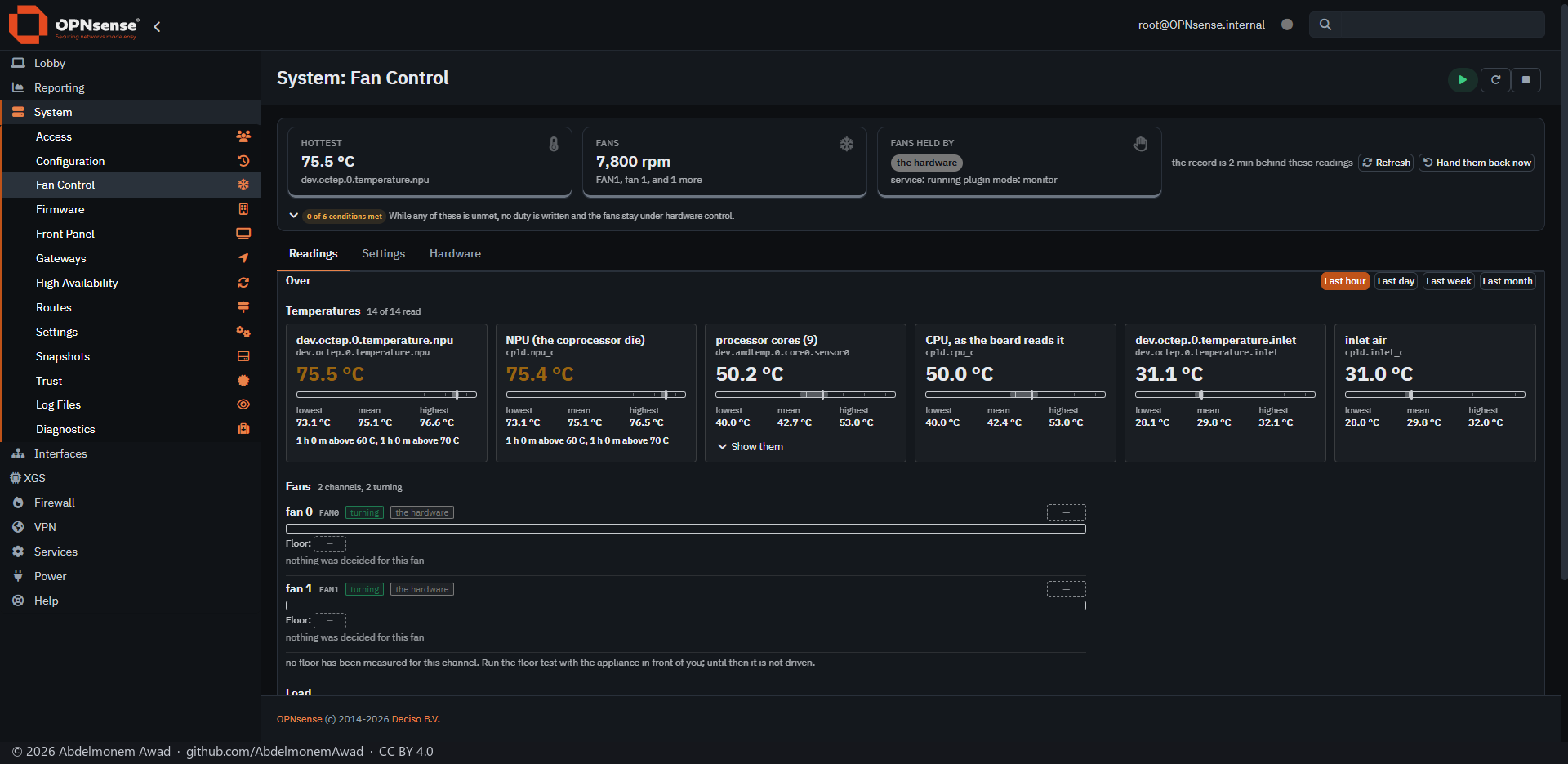
os-fanctl: every temperature the board gives - the coprocessor's die, the processor cores, the inlet air - with its lowest, mean and highest over the chosen time, and the fans with their speed. On the XGS 3300 the fans are read and left to the hardware, which the cards say: the board gives the host no register to set them.
The same page in Arabic
System: Front Panel
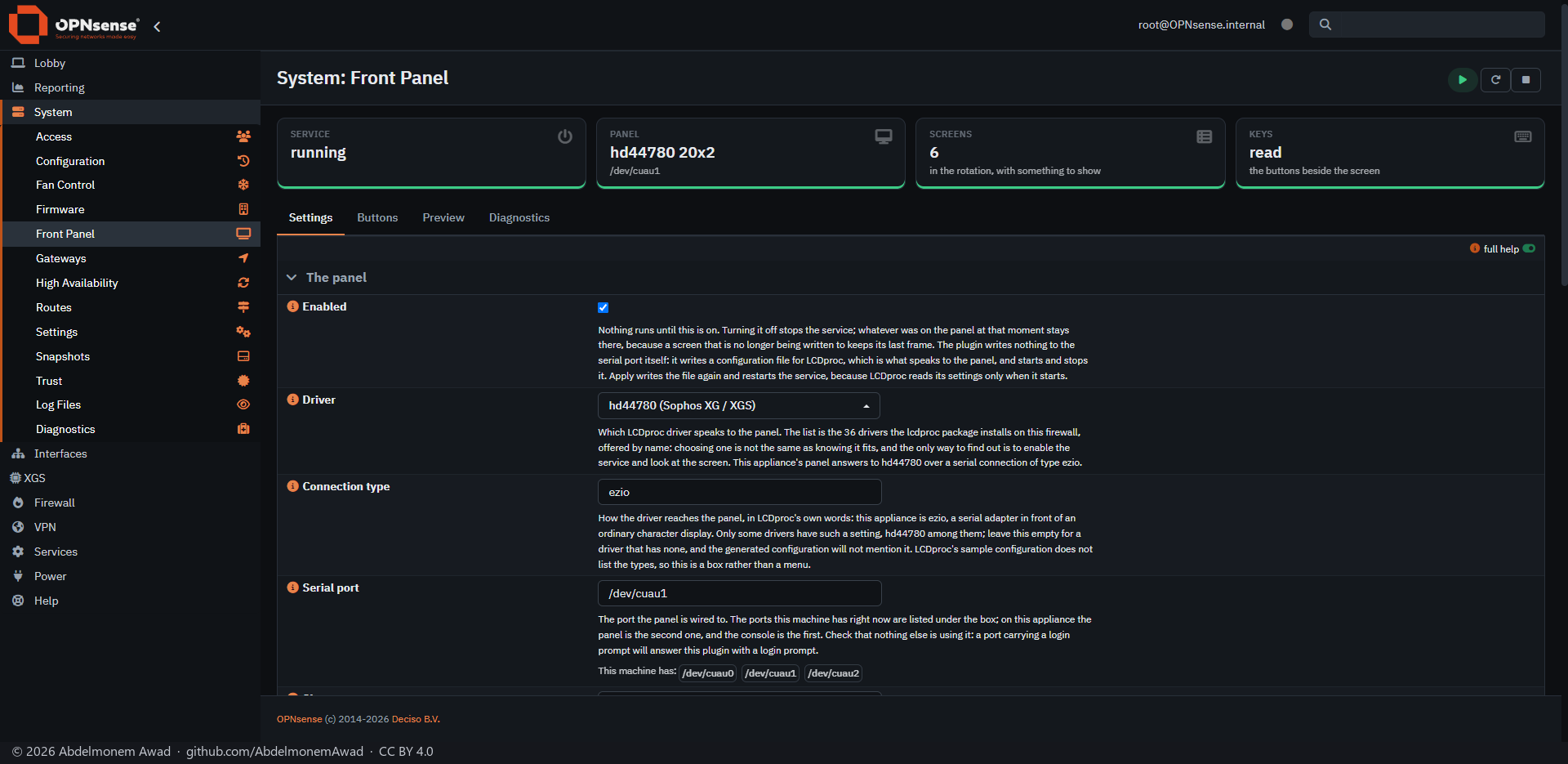
os-frontpanel: the LCD on the front of an appliance that has one, through LCDproc - the panel, its serial port, the screens it rotates through and the keys beside it. Buttons, Preview and Diagnostics are its other tabs. For an appliance without a panel, like the XGS 136, the image builder's No front panel leaves the plugin out.
The same page in Arabic
Interfaces: Link Health
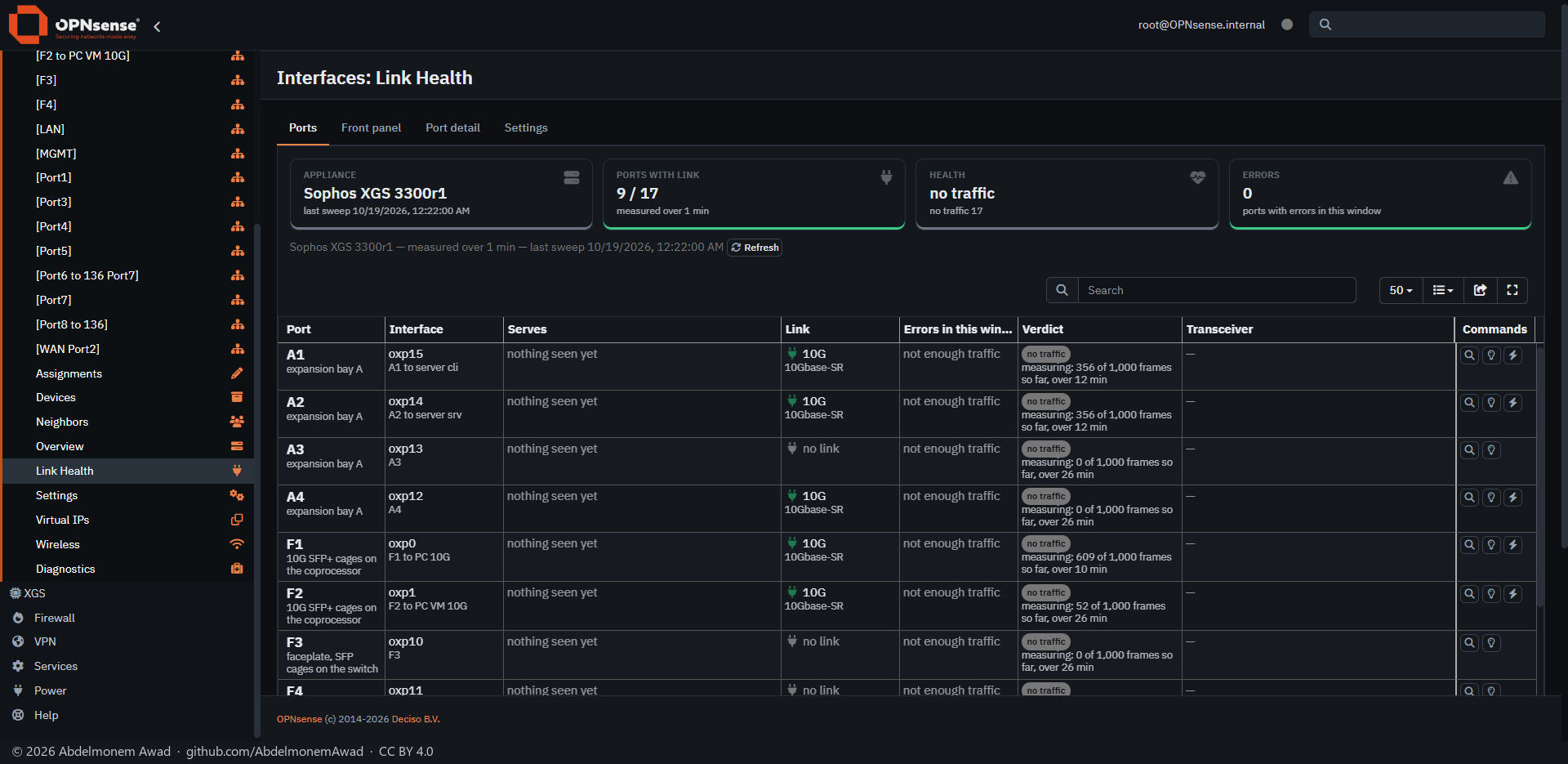
os-linkhealth: a verdict on every port from its error counters over a window, with the transceiver it holds - and "not enough traffic" until a port has carried the frames a verdict needs. Front panel, Port detail and Settings are its other tabs.
The same page in Arabic
The image builder
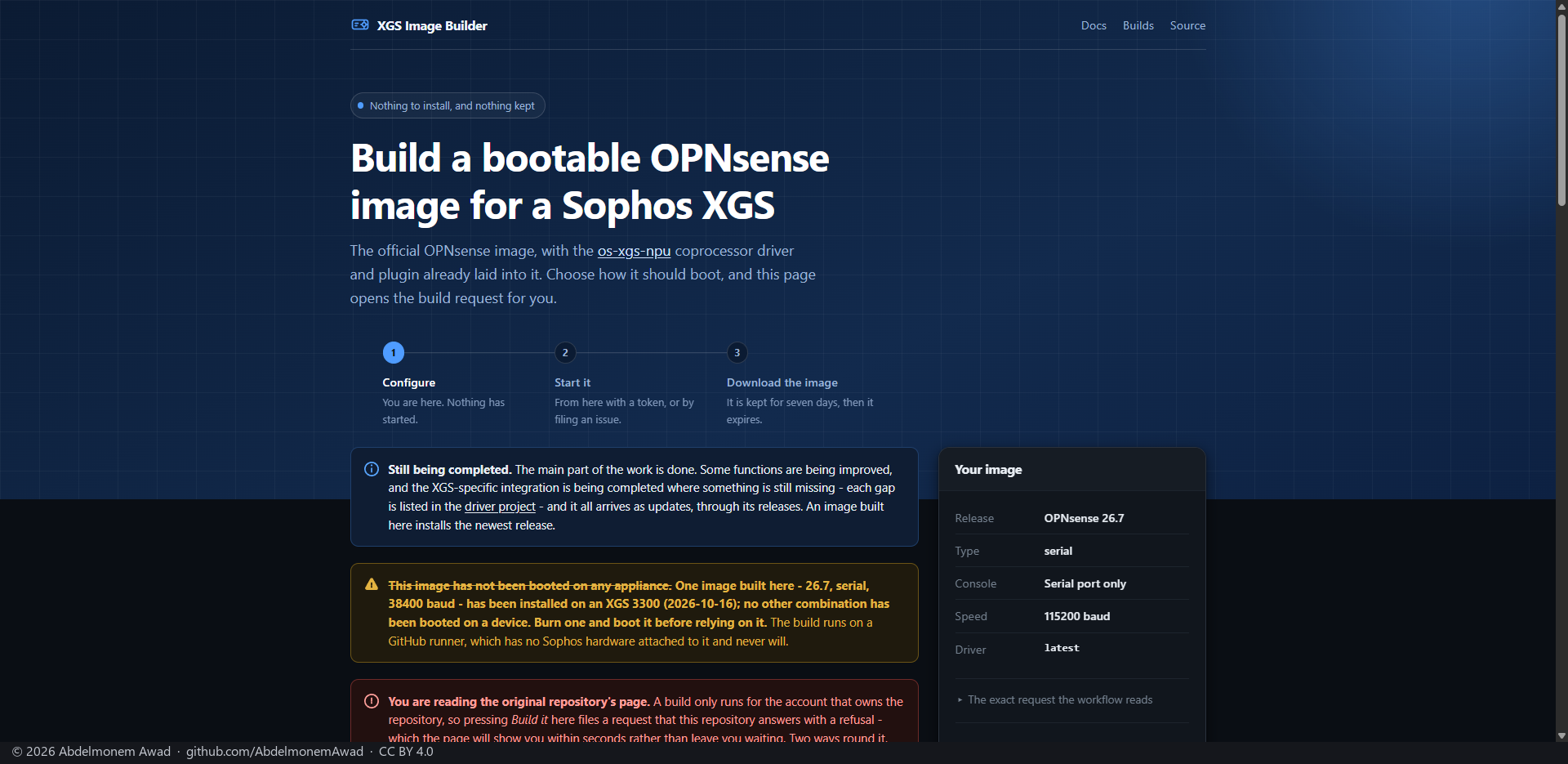
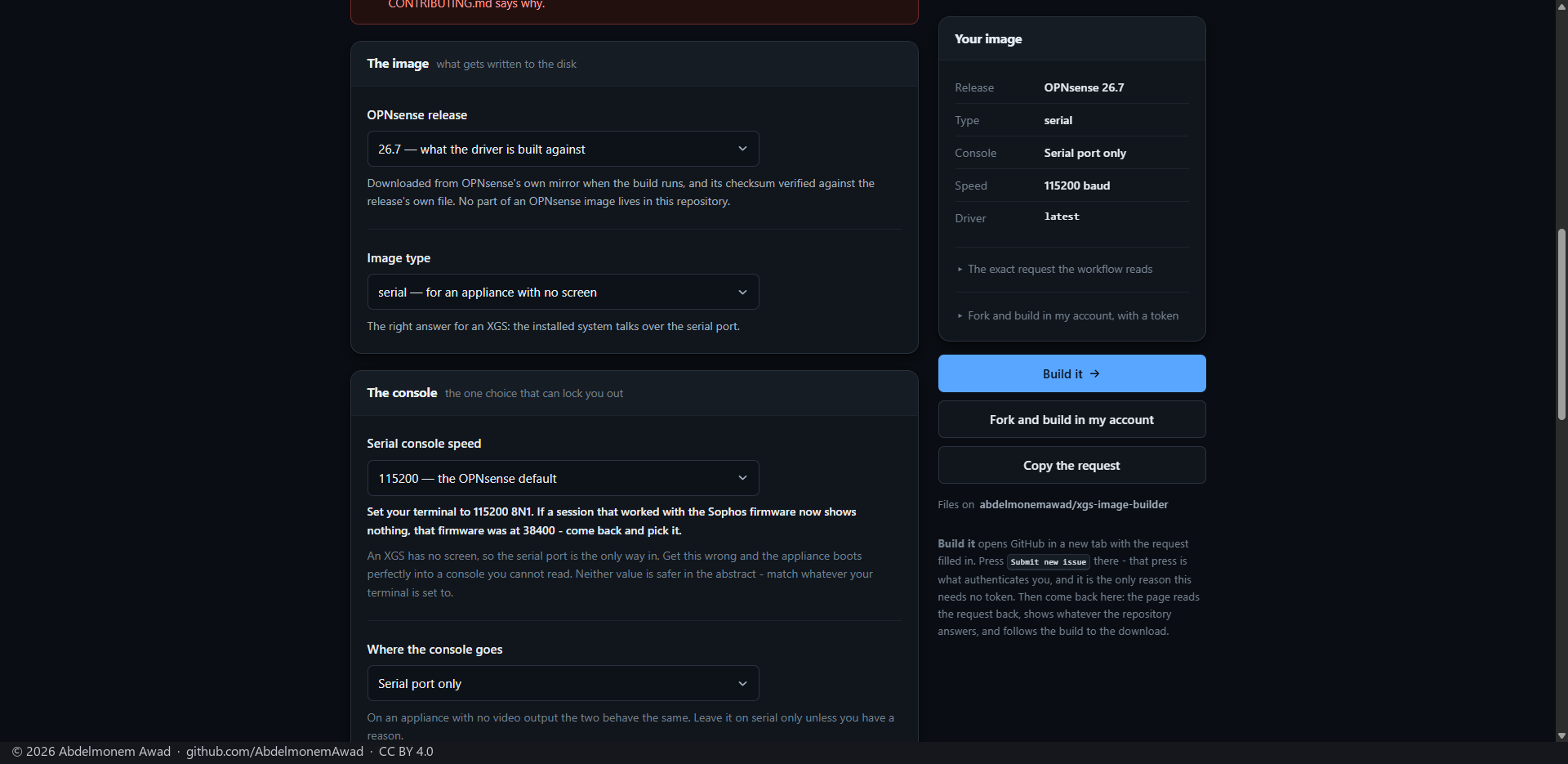
Where an install starts: xgs-image-builder's build page. Choose the OPNsense release, the image type and the serial console's speed, and press Build it; the page follows the build to the download. The page is in English only.
The discussion of this page is held in the project's GitHub Discussions. Showing it here loads giscus from giscus.app and GitHub, and writing in it needs a GitHub account - what that means.