8. Fourteen ports on the XGS 136
The XGS 136 - assembly AMDA0201, a Marvell CN9131 coprocessor of the ARMADA family behind PCIe
id 11ab:7080 - was the first of the two to carry traffic. Before it could, it had to be woken.
A small thing, and the bigger things it led to
Before any of the fourteen ports worked, the XGS 136 still needed a way in. OPNsense ran on it with its network on USB Ethernet adapters - the one door to the host that does not depend on the coprocessor at all, and so the one that stayed open while the coprocessor's driver was being written, loaded, broken and loaded again.
Not every adapter was up to it. I tried several before settling on this one: a WAVLINK WL-NWU330GCA, USB 3.2 at 5 Gbps on a hybrid USB-C and USB-A cable, with one RJ45 port at 2.5 Gbit/s.
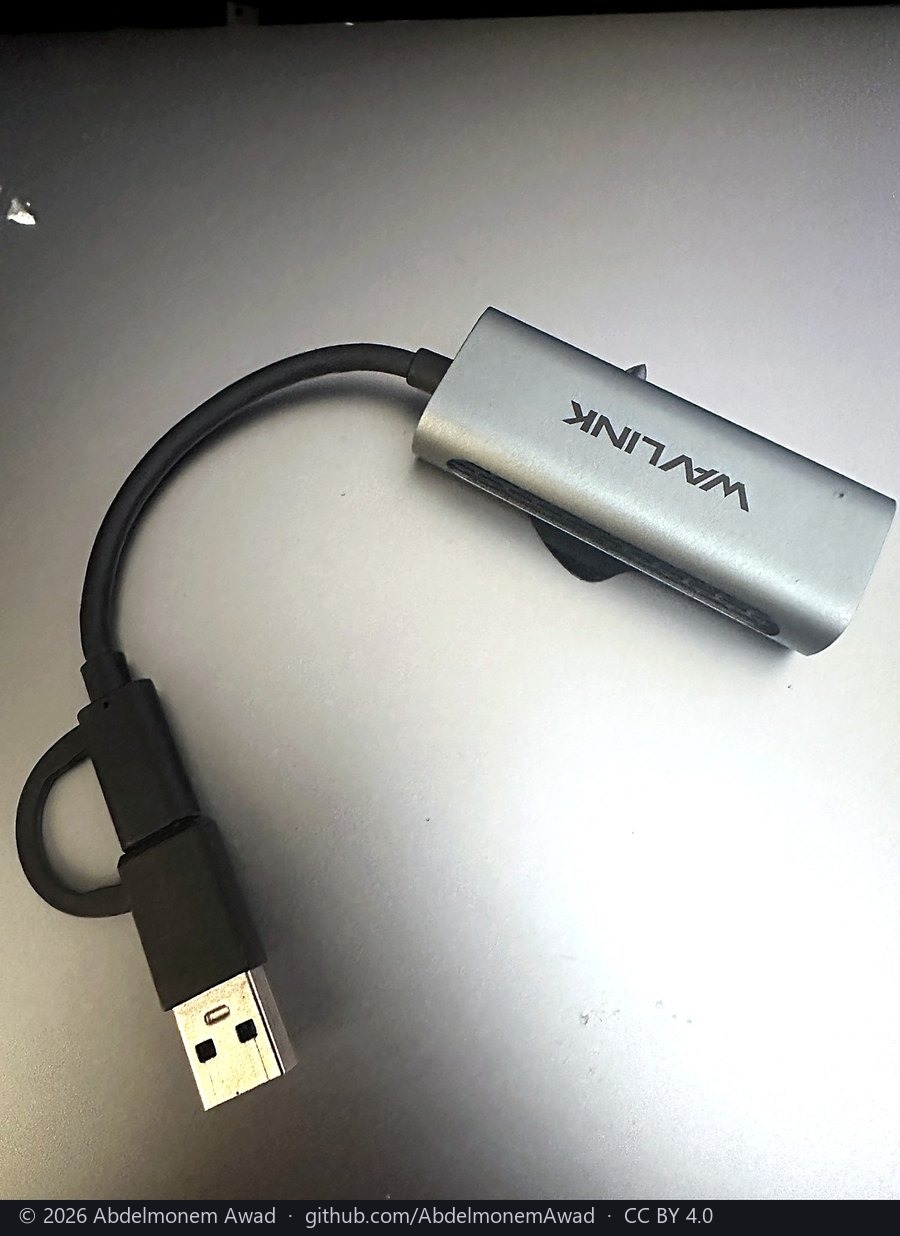 The adapter that kept the XGS 136 reachable |
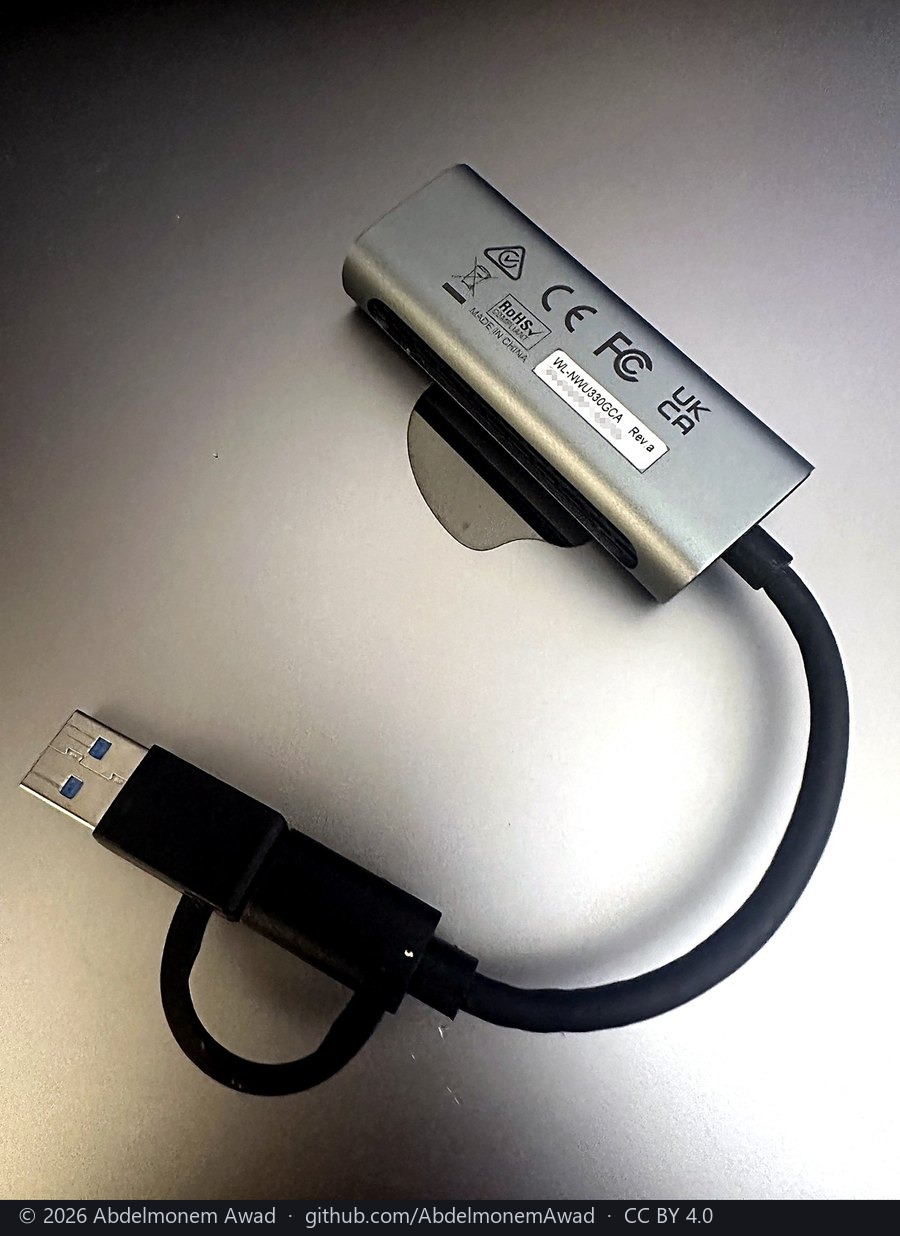 Its label: WL-NWU330GCA, Rev.a - the serial number hidden |
| maker | WAVLINK - the product page |
| model | WL-NWU330GCA, Rev.a |
| host side | USB 3.2 at 5 Gbps, on a hybrid cable: USB-C, with a USB-A adapter tethered to it |
| network side | one RJ45 port, 10/100/1000 Mbit/s and 2.5 Gbit/s; green light at 2.5G, amber below it |
| chip | a Realtek RTL8156, by the retailers' listings - the maker's page does not name it |
| under FreeBSD | a Realtek RTL8156 is driven by ure(4) and appears as a ue interface, with nothing to install |
| shell | aluminium, with vents for the heat |
One lesson came from having two. With two identical adapters on the 136 - the same model and, from the factory, the same USB serial number - LAN and WAN traded names across a warm reboot: the box served its LAN address on the WAN cable and asked for an address on the LAN one, perfectly healthy and completely unreachable. It looks exactly like a reboot that hung. With nothing to tell two identical adapters apart but the port each sat in, the answer was one adapter.
A thing that looks small leads to bigger ones. This one was the door every later chapter walked through. Other adapters that should serve the same way - each one's chip named by its maker and listed by a FreeBSD driver - are on the XGS 136's hardware page, with a warning about a product name that kept its name and changed its chip.
A coprocessor that never started
Under OPNsense the coprocessor did not just lack a driver. It never started. It comes out of power-on held in reset, and nothing in OPNsense lets it go.
What lets it go is an MCP2210, a USB-to-SPI bridge on the appliance's internal USB, three of whose GPIO pins reach the coprocessor. And the release has to be a pulse - hold, a pause, release. Writing the release state on its own leaves the coprocessor dead, which is the kind of detail that looks like a broken board until you know it. The same bridge keeps the board's assembly number in its EEPROM; the reset's polarity differs from board to board, so the driver reads that number and looks the polarity up rather than trusting one constant.
About fourteen seconds after the pulse, the coprocessor has booted far enough to publish its table of facilities, and the conversation of chapter 7 can begin.
Note
A lesson in numbering. The release runs as an early boot hook. First numbered 01 and 02, it
brought the coprocessor up - and then OPNsense's own 05-upgrade, which can reboot from inside the
early boot sequence, rebooted the machine underneath it. The hooks are 06-npuctl and 07-npuep
now, after it, and both are written so that they can never be the reason a firewall fails to boot.
Fourteen ports, as the metal names them
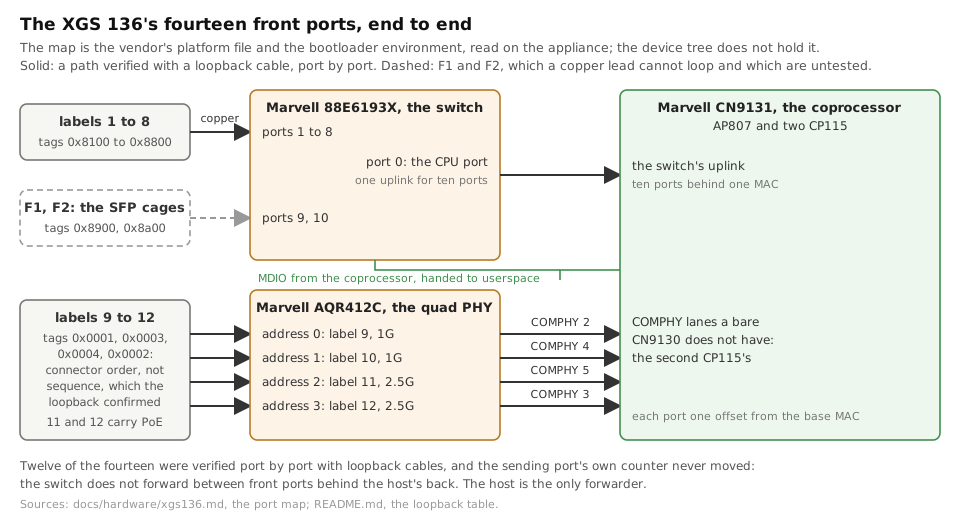
Three kinds of port sit behind the fourteen labels: labels 1 to 8 on the 88E6193X switch, the two SFP cages F1 and F2 on the same switch, and labels 9 to 12 on the four lanes of an AQR412C PHY on the coprocessor's own ports. All fourteen are told apart by two bytes in front of every frame, and each became an ordinary FreeBSD interface, named as the chassis names it. Twelve were checked one by one with loopback cables; the two cages wait for a module.
From eighteen megabits to a full gigabit
The first receive path polled the rings every ten milliseconds, sixty-four frames at a time. It worked, and it capped a single flow at 18 Mbit/s. Polling every millisecond, 1,024 frames a pass, the same stream ran at 773 Mbit/s in and 934 out - photographed, like every run in this project, the moment it finished:
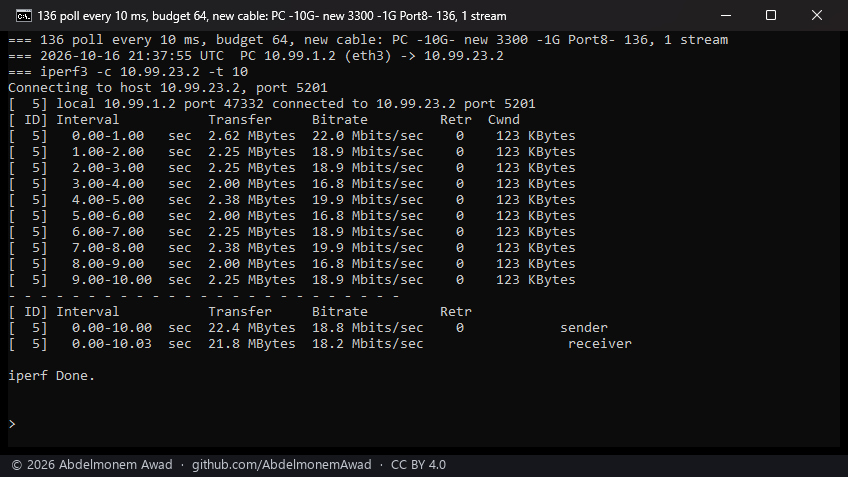 Before: every ten milliseconds, 64 frames a pass |
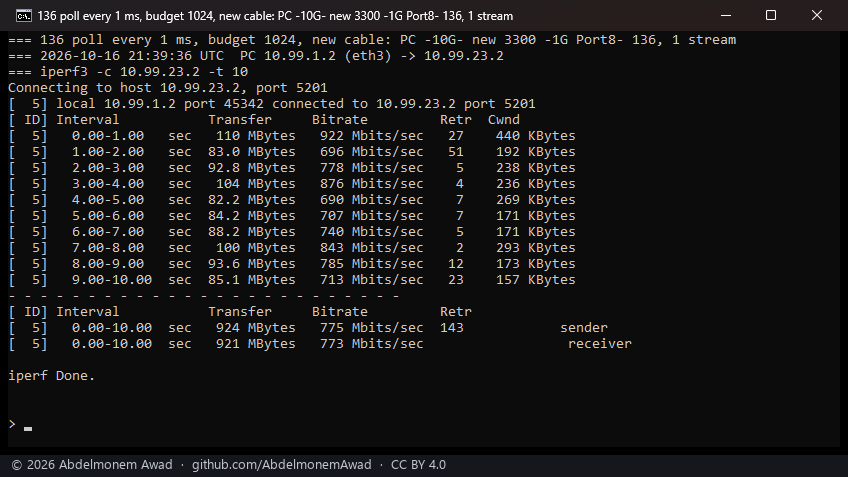 After: every millisecond, 1,024 frames a pass (2026-10-17) |
Four transmit queues followed on 2026-10-18, all four measured in use with the gigabit link full.
An update that cost nothing
A kernel module built for the wrong kernel loads without a word, so a firmware update is the moment a driver like this one is most likely to break. On 2026-10-13 OPNsense was updated from its own GUI, from 26.7 to 26.7.7, taking the kernel from p1 to p4. On the way down, the reboot rebuilt the module for the new kernel and stamped it - in under three minutes - and the appliance came back up with all fourteen ports and its WAN lease, with nothing done by hand.
Previous: 7. The host and the coprocessor · Next: 9. The XGS 3300 and the last hop
The discussion of this page is held in the project's GitHub Discussions. Showing it here loads giscus from giscus.app and GitHub, and writing in it needs a GitHub account - what that means.