Hardware Watchdog
os-watchdog · System
Arms the host's hardware watchdog, so a host that stops running is reset by its own hardware, and reads from the chipset why the host last reset.
In the menu
- With os-xgs-npu installed: XGS: Hardware Watchdog
- Without os-xgs-npu: System: Hardware Watchdog
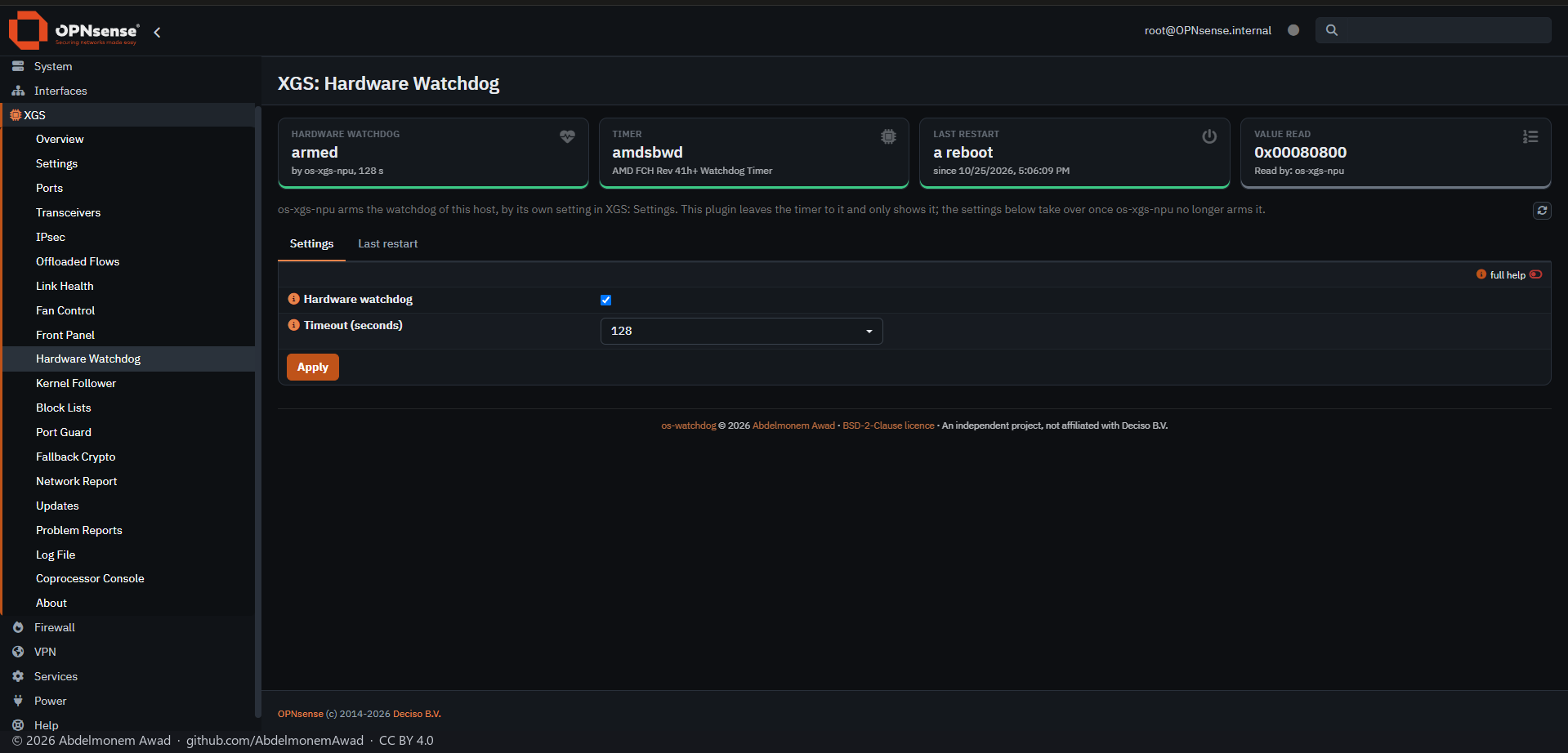
OPNsense arms no watchdog of its own. When its setting is on, this plugin arms the chipset's watchdog timer with watchdogd(8) at every boot and disarms it at every shutdown, so a machine turned off stays off. The timer's driver follows the processor: amdsbwd on AMD, ichwd on Intel.
On AMD processors of family 17h or later it also reads at every boot why the host last reset - the FCH's S5_RESET_STATUS register, one bit for each cause - keeps the record, and clears the register for the next boot.
On a Sophos XGS with os-xgs-npu, os-xgs-npu already arms the timer and reads the reset record, and this plugin stands aside: it starts no watchdogd of its own and shows os-xgs-npu's, and it takes os-xgs-npu's record of the boot instead of reading the register. Its own settings take over once os-xgs-npu no longer arms the timer.
Features
-
Timer armed at boot
watchdogd(8) arms the chipset's timer at every boot and disarms it at every shutdown.
-
Two settings
On or off, and the timeout: 64, 128 or 256 seconds.
-
Last restart
Why the host last reset, as the chipset recorded it, with each bit it set and what that bit means. On AMD processors of family 17h or later.
-
Who holds the timer
The page shows whether the timer is armed and by whom: this plugin, os-xgs-npu or another watchdogd. A watchdogd started by anything else is left alone.
-
One reader a boot
The first read of a boot clears the record, so when os-xgs-npu has read it, this plugin takes its record.
Install and update
From os-xgs-npu's release after 0.1.0-alpha.7.1, XGS: Updates lists it on its Plugins tab - an installed copy is updated there by hand, and a missing one installed there - and the ready-made images built from that release carry it; until then it is installed and updated as below. No cron entry runs the update. To install it on an XGS appliance or on any other OPNsense, as root: from a checkout of the repository with sh install/install.sh, which puts the page under XGS with os-xgs-npu and under System without it, and keeps the settings when run again; or from the release's package, os-watchdog-1.0.0.pkg, checked against SHA256SUMS and added with pkg. A copy installed this way is updated by its own self-update.py. It is not in the OPNsense plugin repository.
Limits, and what is not tested yet
- Arming and disarming by this plugin: it stands aside on every appliance that has os-xgs-npu.
- The ichwd timer of Intel processors.
- The package, built by tools/make-package.sh and added with pkg.
- An install on OPNsense without os-xgs-npu.
- An update through the Plugins tab or self-update.py: 1.0.0 is the first release, so none has been ahead of an installed copy.
Repository
First release: 2026-10-25
The discussion of this page is held in the project's GitHub Discussions. Showing it here loads giscus from giscus.app and GitHub, and writing in it needs a GitHub account - what that means.